ENGINE
TROUBLESHOOTING/SOFTWARE
DIAGNOSTICS
PCINTERFACESOFnNARE
The software
is
available in a kit pn#055410 and can
be purchased from a local Westerbeke Distributor or
Dealer.
The
ECIO
diagnostics found in the software kit is
used
with the 3.5SBCG model.
The software kit contains a needed communications
cable
to connect between the generator's ECU and
ones laptop.
This Diagnostic Software is designed to aide the
technician
in monitoring the Low
CO
generator's
operation and the
ECU (Electronic Control Unit)
functions.
The
Diagnostic Software
will
run
on
Windows
98,
XP,
Vista
and
Wmdows
7 laptop.
These
must
have
a
minimum
of
128
megabytes of RAM
(Random
Access
Memory).
The
communications cable
plugs
into a
serial
connection
or a
USB
port.
When using
serial
to
USB
adapters,
the
communication port that
the
adapter
is
using
MUST
be
known
in
order to configure the
Diagnostic
Software.
The
Westerbeke communication
cable
is
unique
to
this
Diagnostic Software
and
must
be
used
or
otherwise
damage
to
the
ECU
will occur
if
any
communications
cable
is
substituted. The Diagnostic
Software
is
designed
with
multiple screens, tabs
and
pull
down
menues
to
aide
the user
in
the
diagnostic process.
The
Diagnostic Software
is
for
monitoring
ONLY.
It is read
only
so
none
of the
values
can
be
changed.
When running diagnostics. Start a Data Log
20-25 seconds before starting the generator.
Once downloaded,
this new improved software
provides Idle
Mode
diagnostics, Failure Record
and
Run
Time Data Logging to EXCEL.
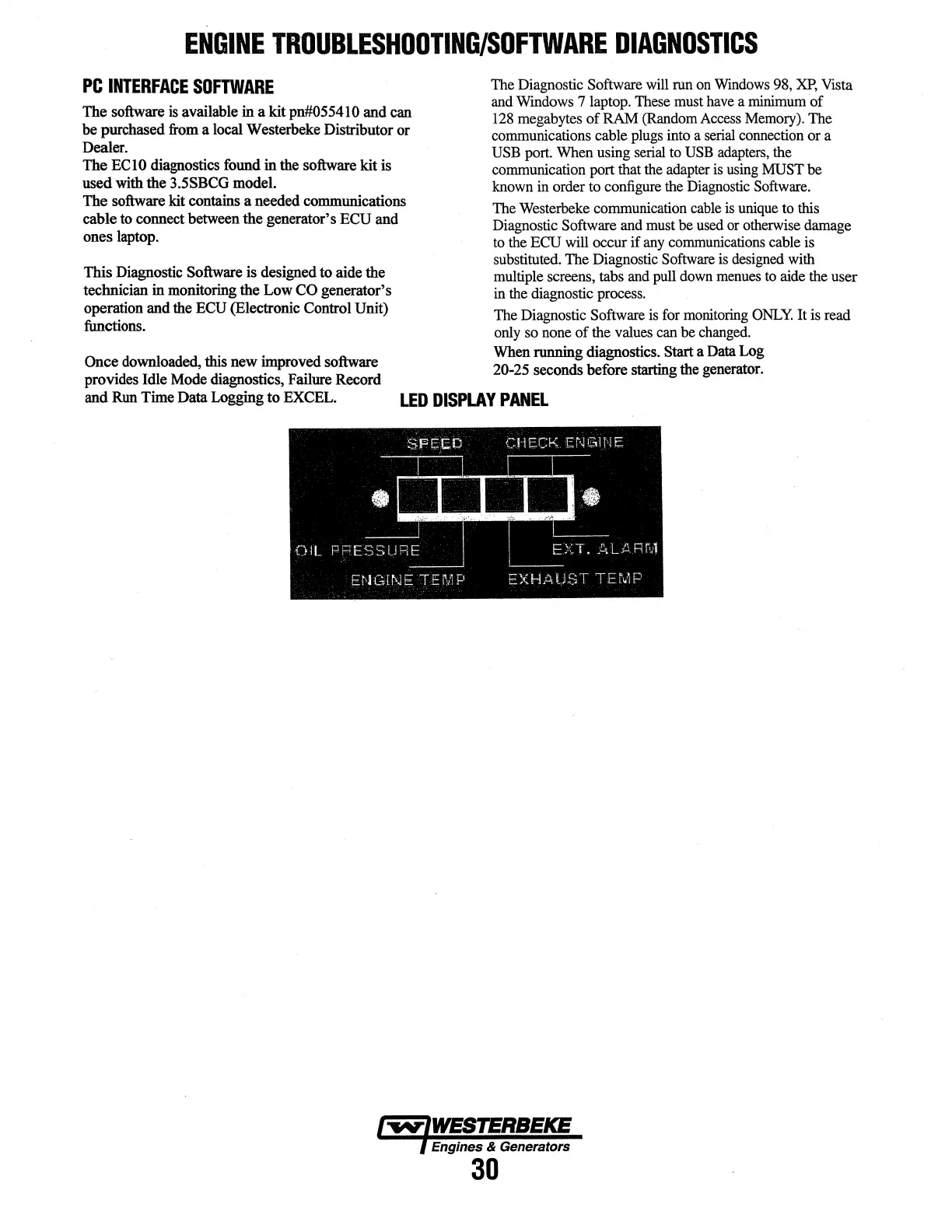
LED
DISPLAY
PANEL
Engines & Generators
30




 To Next Page