INSTALLATION AND MAINTENANCE MANUAL
E1 FAMILY
LICENSED & SPREAD SPECTRUM RADIOS
JUNE 2001
SECTION 2: PRODUCT DESCRIPTION PAGE 3-73
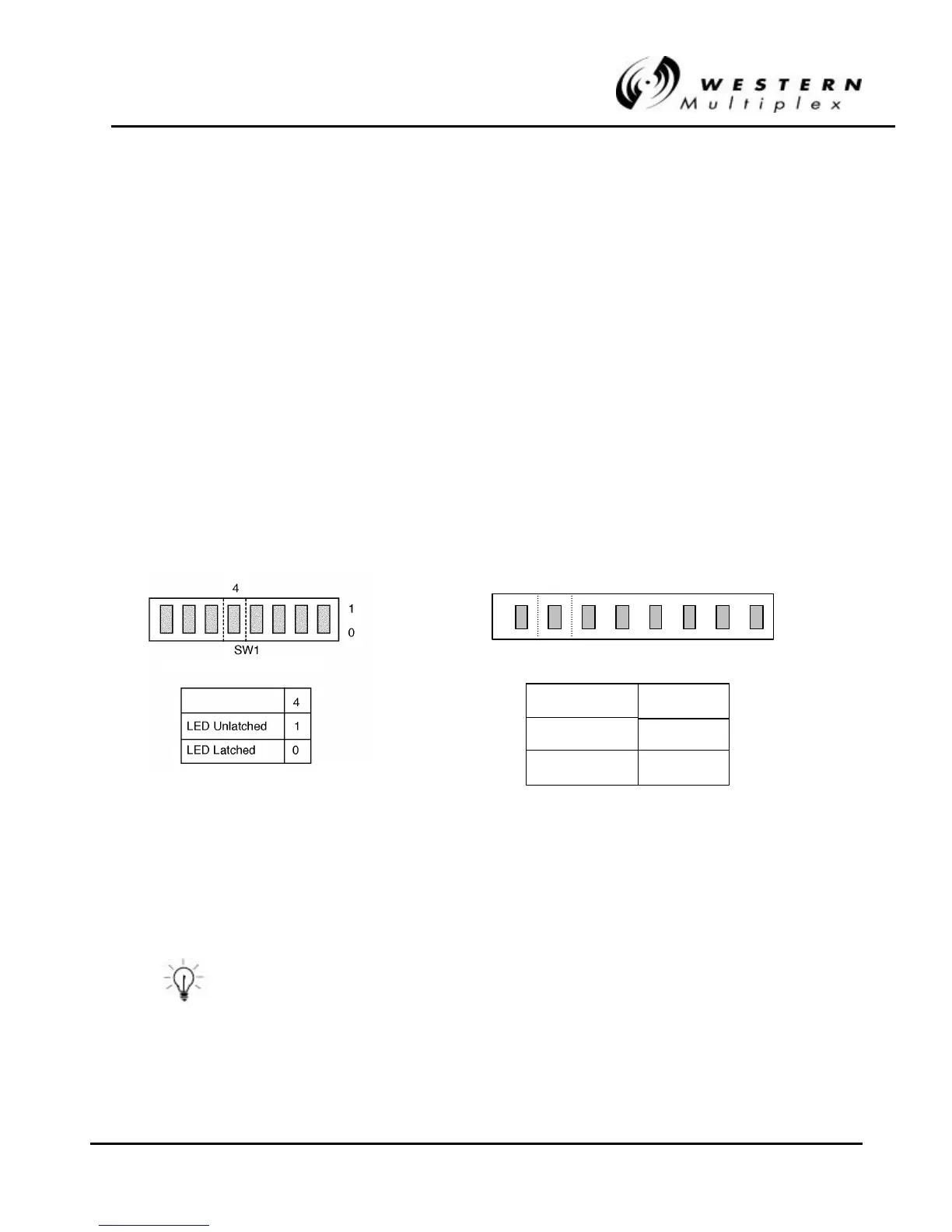
3.13.3 Error LED Mode Selection
The ERROR LED illuminates if any errors are present in the data stream during loopback. This LED
is only functional when using the internal test signal.
The default mode for this LED is “latched.” That is, when a single error occurs, the LED illuminates
and stays lit until loopback is turned off. This mode is especially useful for long term (overnight)
testing, or any time that an operator is not watching the radio during loopback testing.
There is an optional mode for this LED which is “unlatched.” This allows the user to “view” the error
rate. In this mode, the LED will flash on each time a single or multiple error occurs. The LED turns
off if no further errors occur. This mode can be useful if a BER test set is not available and the user
wishes to determine the nature of any error conditions (bursting, dribbling, occasional).
In “unlatched” mode, when any errors occur, the ERROR LED will illuminate for a minimum of one
second. If errors continue within this one second interval, the LED will remain on until there are no
errors for 1 second.The two modes for this LED are selected by a rear panel DIP switch, as shown
in Figure 3-18.
Figure 3Figure 3-- 18: Error LED Mode Selection18: Error LED Mode Selection
In the LED unlatch mode, after 100 errors the ERROR LED will
remain lit to indicate excessive errors.
1xE1, 2xE1, 4xE1 models only
SW-3
LED Unlatched
1
2
LED Latched
0
1
8xE1 Model Only



 To Next Page