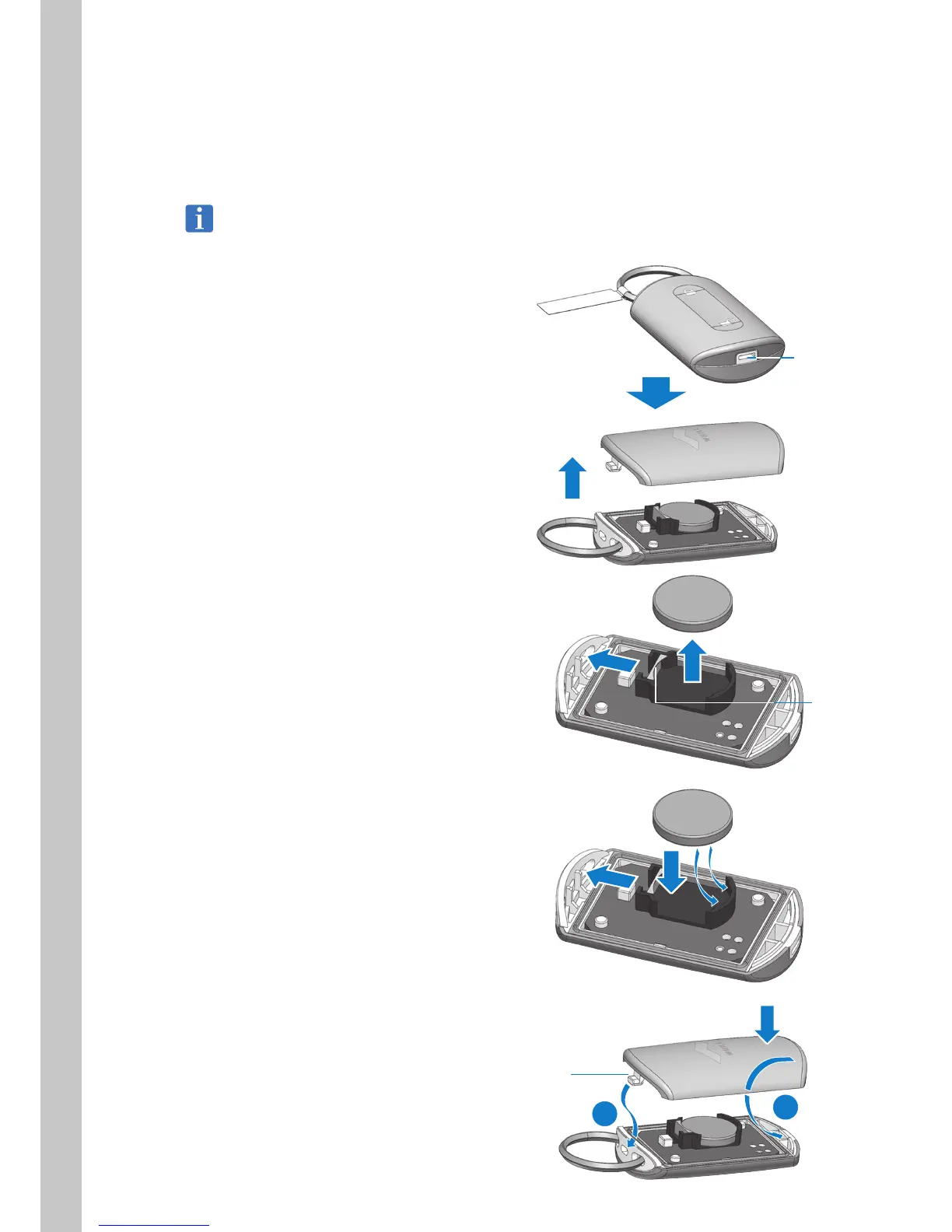
8.2. Replacing the Smart Key Battery
When the display indicates that the smart key battery level is low, follow the procedure below and replace the
smart key battery.
Use a CR2032 3V battery (commercially available) for the button battery.
For the messages shown on the display, refer to “9. Troubleshooting”.
1. Insert a flathead screwdriver into the hole in
the case and remove the case.
Hole
2. Pull back the terminal and remove the old
battery from the battery case.
3. Pull back the terminal and install a new
battery under the rib in the battery case.
4. Install the case.
1) Insert the tab into the hole.
2) Press the opposite side of the case with
the WHILL logo on it in order to fit it into
place.
Tab
2
1
Terminal



 To Next Page