5.2.4. Installing the battery
WARNING
Do not touch the connectors or battery connectors, allow them to become wet , or bring any
metal or other foreign objects close to them.
There is a risk of injury and of damage to the device.
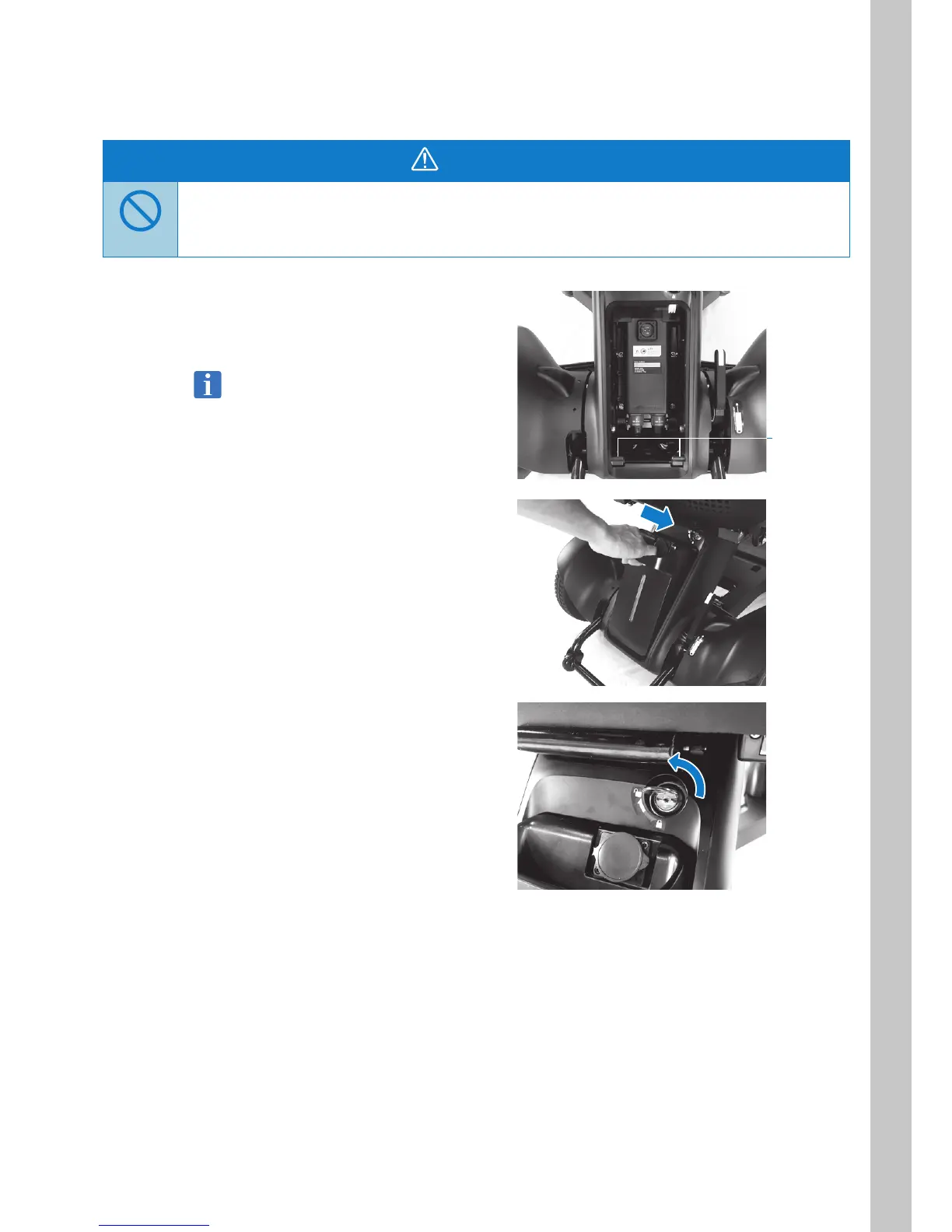
1. Grasp the battery handle and align the
battery with the s on the bottom of the
mounting area.
The battery weighs 6.2 lbs (2.8 kg). Be careful
not to drop it when handling it. There is a risk
of injury or damage caused by the battery
dropping.
2. Press the top of the battery in to install it.
If the battery cannot not be installed even
when pressing on it with some force, check
whether the battery lock is engaged.
3. Turn the key counter-clockwise to lock the
battery, and then remove the key.
tabs



 To Next Page