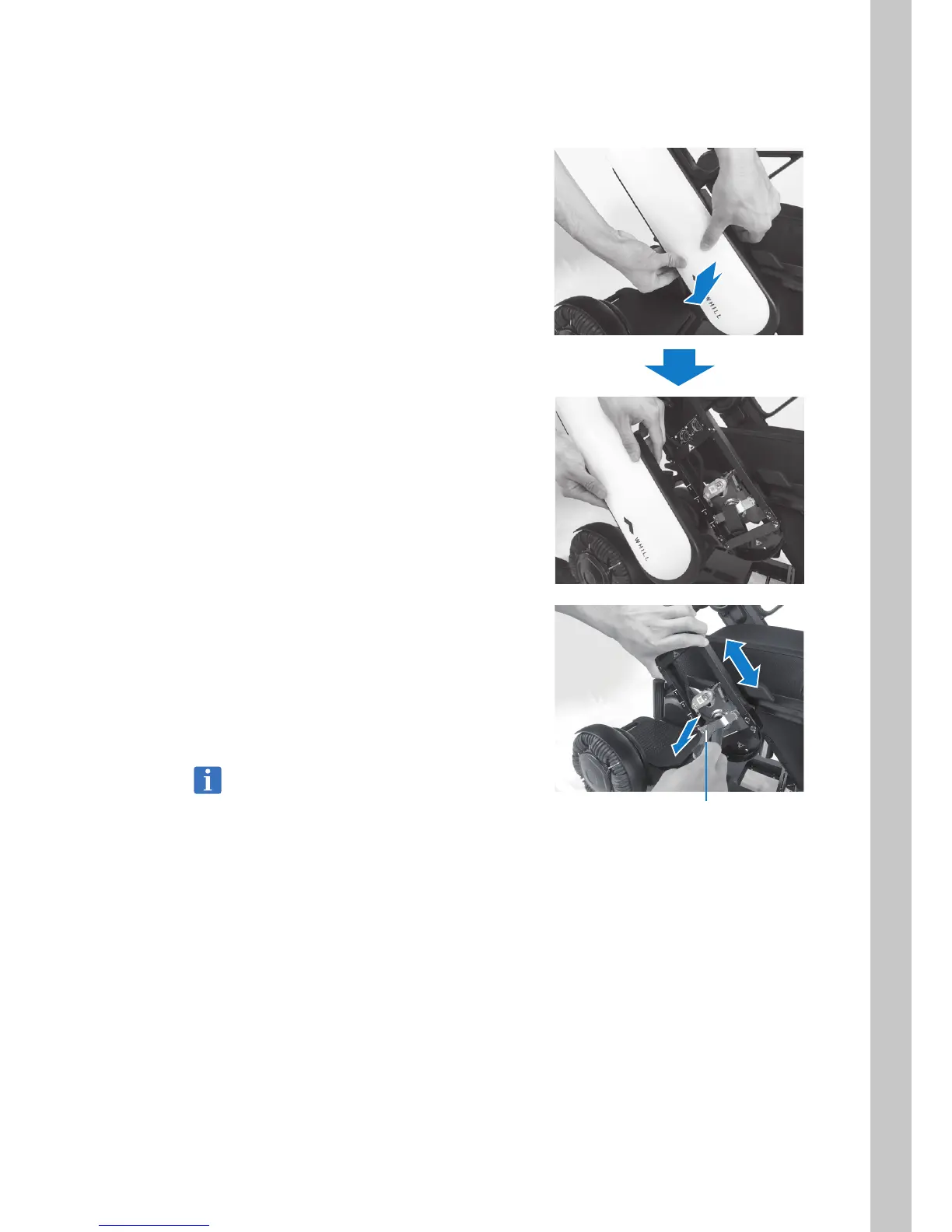
5.3.1. Adjusting the arm length
1. Remove the arm cover.
Hold both the front-facing and rear-facing
sides of the arm cover and gently bend them
outwards then pull the arm cover towards you
in order to remove it.
2. While pulling on the arm length adjustment
tab, slide the arm up or down to adjust it to
the desired length.
Release the arm length adjustment tab at one
of the four labelled positions to lock the arm in
place and a click sound is heard.
The arm length can be adjusted in 4 stages.
• After adjustment is completed, try to slide
the arm up and down to confirm that it is
locked in place and does not slide.
• Do not touch the cable.
Arm length adjustment tab



 To Next Page