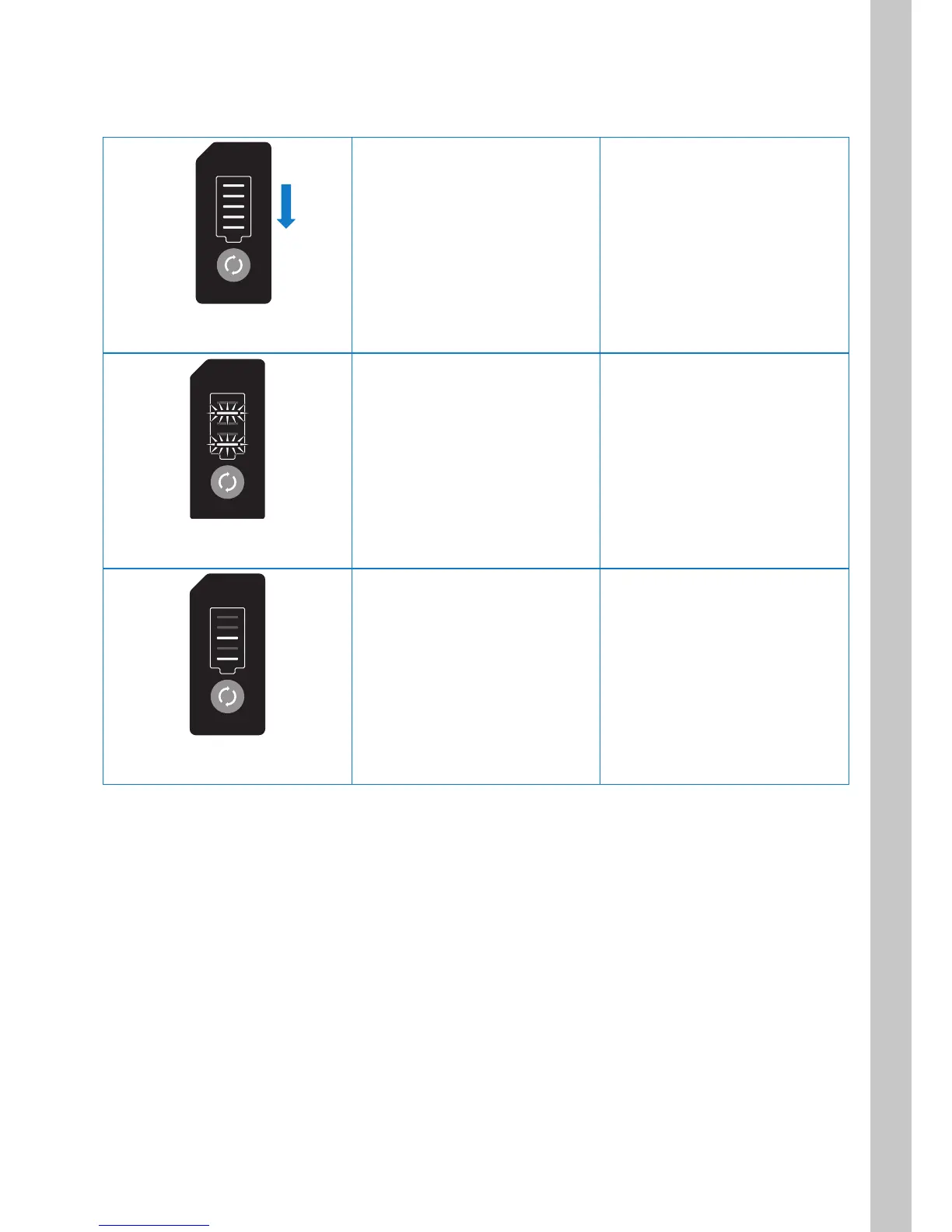
3.3.1. Charge level indicator error indication
When there is a problem with the battery, it is indicated on the charge level indicator as shown below.
Lamps illuminate repeatedly in
sequence from top to bottom.
Battery overcurrent Disconnect the battery from
the device or charger and then
reconnect it.
The 2nd and 5th lamps from
the top are flashing.
Battery temperature error
(outside of the range)
Keep the battery at room
temperature for a while and then
use it again.
If the error still occurs, contact
your distributor or WHILL
Customer Support.
The 3rd and 5th lamps from
the top are illuminated.
Charging temperature error
(outside of the range)
* Only when the charger is
connected
Keep the battery at room
temperature for a while and then
use it again.
If the error still occurs, contact
your distributor or WHILL
Customer Support.



 To Next Page