3.2.3. Power/charge indicator indications
The charger power/charge indicator illuminates or flashes according to the battery state as shown below.
• Flashing green: Charging
• Solid green: Charging completed
• Solid red: Standby
• Flashing red: Charging error
*
* Charging is not possible when the power/charge indicator is flashing red.
Disconnect the plug from the wall outlet. Then after the power/charge indicator turns off, connect
the plug again.
If the problem is still not solved, contact your distributor or WHILL Customer Support.
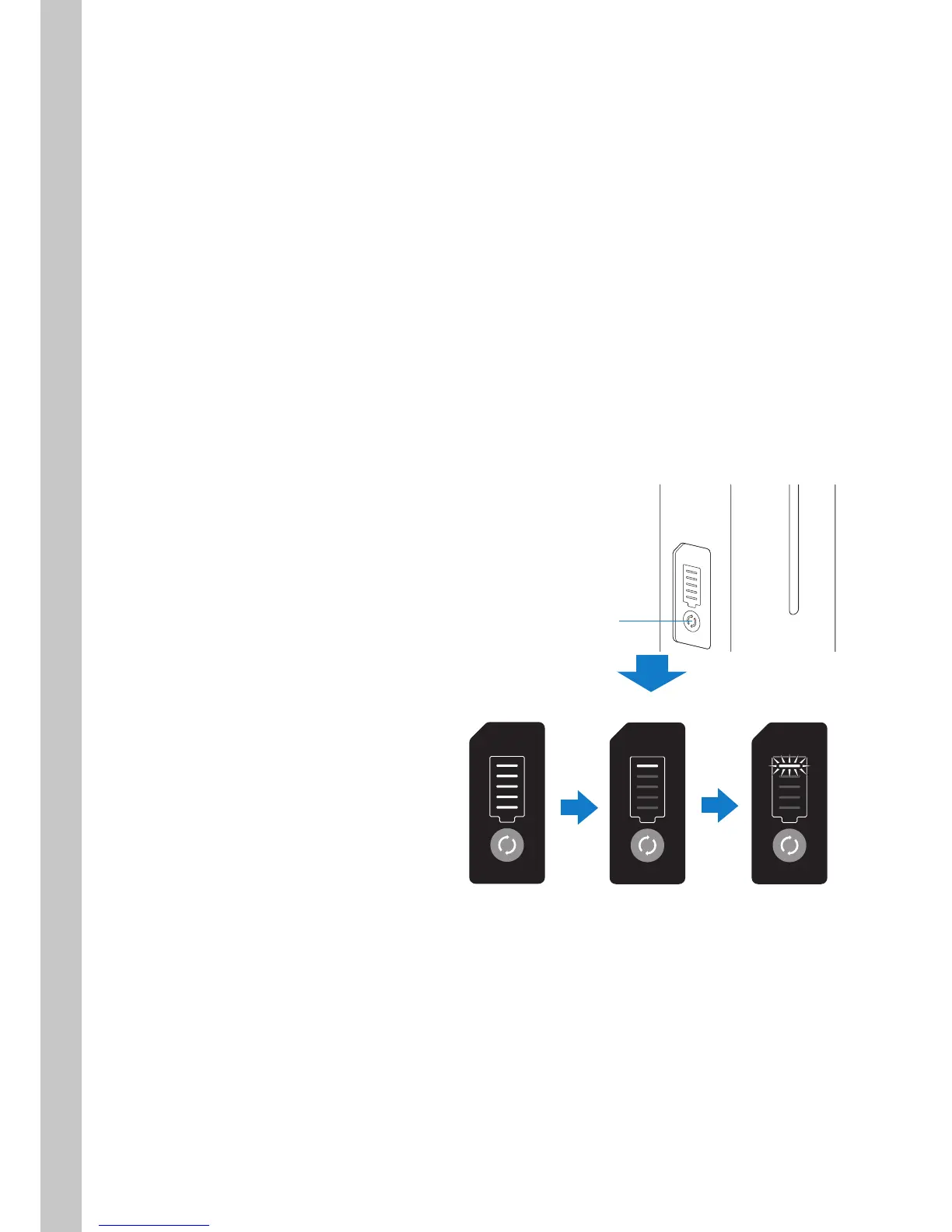
3.3. Checking the Charge Level of the Removed Battery
The battery charge level can be checked even when the battery is removed from the device.
Press the charge level button.
The battery charge level is indicated by the
scale on the charge level indicator.
85 - 100%
5 lamps are lit.
10 - 24%
1 lamp is lit.
Less than 10%
1 lamp flashes.
* Charge the battery
immediately.
Charge level button



 To Next Page