504474474
4
EN
Aug. Winkhaus GmbH & Co. KG ∙ Berkeser Straße 6 ∙ 98617 Meiningen
T +49 369 3950 - 0 ∙ www.winkhaus.de ∙ Subject to technical changes
blueMatic EAV Installation, Operating and
Maintenance Instructions
• If the programming is performed via the receiver, this will have to be freely
accessible.
• Press the P1 button of the receiver until the green LED lights up.
• Release the button.
• Activate the desired button of the remote control while the LED is lit up
• As long as the LED is lit, you can program additional remote control buttons.
Display memory full: The memory has been filled to capacity (max. 85 buttons),
if the teach-in button of a new wireless remote control is used and both LED
displays of the receiver flash simultaneously.
Teaching wireless remote controls directly via the receiver
Deleting wireless remote controls directly via the receiver
Partial deletion
• Press and hold the P1 button of the receiver until the green LED lights up.
• Release the button.
• Press the button of the wireless remote control while the LED is lit up.
• A programmed wireless remote control will be deleted automatically.
• A wireless remote control that has not been programmed by this method
will need a programming (analogue "Teaching-in of wireless remote controls
directly via the remote control").
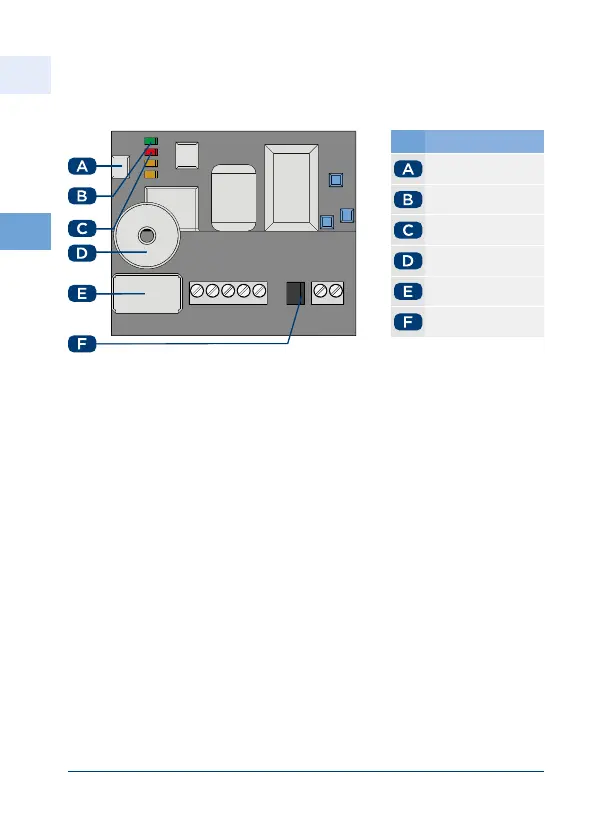
No. Name
P button
green LED
red LED
Buzzer
Relay
Jumper V V



 To Next Page