Notice:
Pay attention to
the correct
polarity!
Eco-Watch:
Properly dispose
of the batteries!
504474473
4
EN
Aug. Winkhaus GmbH & Co. KG ∙ Berkeser Straße 6 ∙ 98617 Meiningen
T +49 369 3950 - 0 ∙ www.winkhaus.de ∙ Subject to technical changes
blueMatic EAV Installation, Operating and
Maintenance Instructions
Delete-all
Action Acoustic Signal Result
) Press buttons A and
B (of a programmed
remote control) simul-
taneously*
n
short
Teach-in mode
started
) Press A button
(of the same remote
control)
nnnnnnnnnn
continuous signal (as
long as delete mode is
active)
Teach-in mode
active
) Press buttons A and
B (of a programmed
remote control) simul-
taneously
n n n
short times
Memory of the receiver
is completely deleted
(non programmed
remote control)
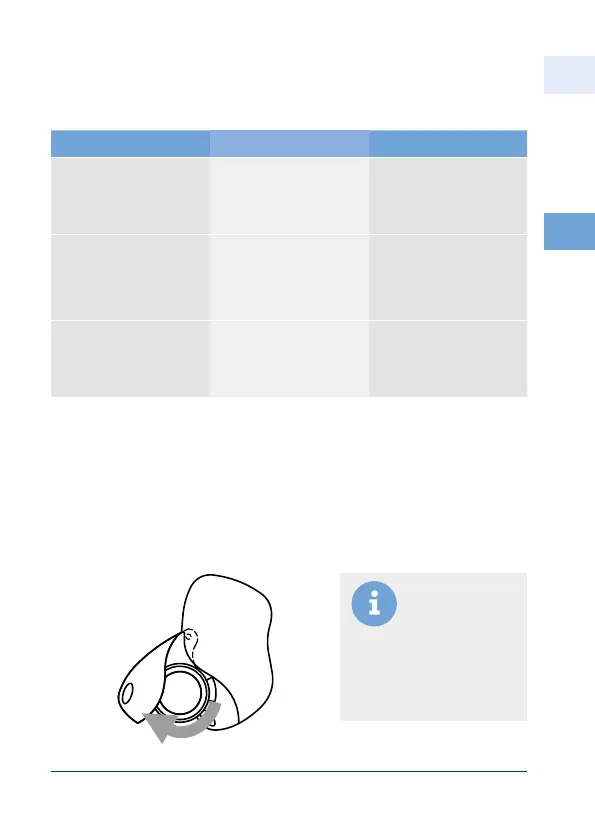
• At the key ring opening, pull the colored battery cover from the underside of
the remote control outwards.
• The battery compartment swings out.
• Replace the batteries.
• Insert two Lithium CR 2016 batteries.
Changing the batteries of the wireless remote control



 To Next Page