504474475
4
EN
Aug. Winkhaus GmbH & Co. KG ∙ Berkeser Straße 6 ∙ 98617 Meiningen
T +49 369 3950 - 0 ∙ www.winkhaus.de ∙ Subject to technical changes
blueMatic EAV Installation, Operating and
Maintenance Instructions
Delete-all
• Press and hold the P1 button of the receiver until the green LED lights up.
• Release the button.
• Press the button again until the green and the red LED flash three times.
• Now, all remote controls are deleted.
ON/OFF mode
• The default setting of the relay of the receiver is "Pulse".
• You can program it as an ON/OFF relay for additional applications (specified
by the respective application).
• For this purpose, press the P1 button of the receiver until the green LED
lights up.
• Release the button again.
• Press the P1 button once more.
• The LED flashes and the relay is switched to the ON/OFF mode.
• Use the same procedure to get to the pulse mode.
• Then, the LED will be lit continuously.
Displaying the occupied memory units
• Press and hold the P1 button of the receiver until the green LED lights up.
• Keep the button pressed until the LED goes off.
• Then release the button immediately.
The display is a binary code: LED green = 1, LED red = 0
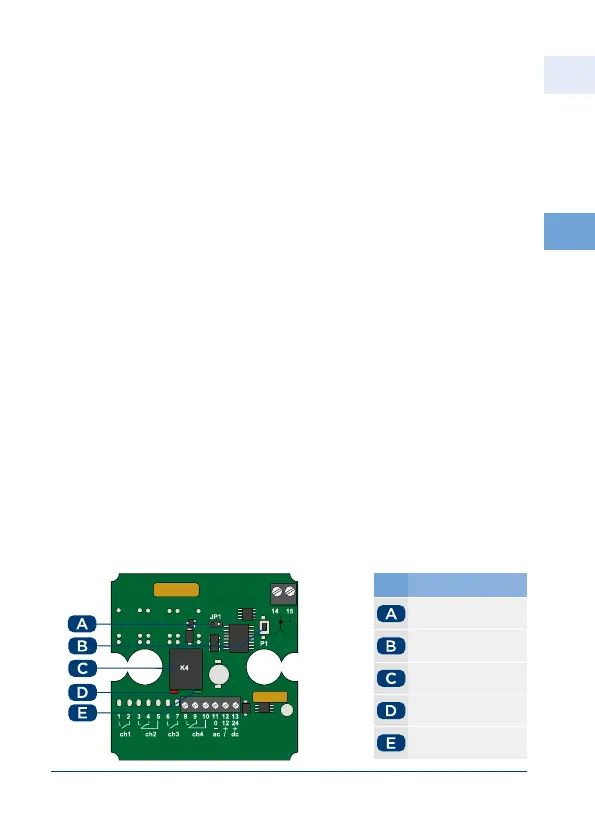
4.4 Wireless receiver for additional applications
(e.g. garage door control units)
No. Name
JP jumper
P button
K relay
red LED
green LED



 To Next Page