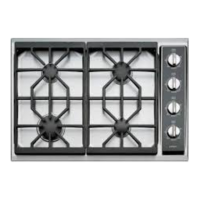
Electric Cooktop -2
Troubleshooting Guide
5-5
Error
Priority
Displayed
Error
Message
Error Condition Explanation Action that should be taken
No
Indicator
Power loss Power line cycling has stopped.
The display will blank and relays
will open. No error is recorded.
Cooking will resume if power is
restored within 5 seconds.
1 E01 Ambient Temp Too
High
Power module ambient
temperature has reached or
exceeded its temperature limit.
This error can be cleared when
the temperature falls to below
the ambient limit.
1. Normal operation should resume
after temperatures are within the
range of the thermistors. (<85F)
2. Check cooling fan operation.
3. If temperatures are within operating
range and the cooling fan is working
properly, replace power module.
1 E02 Heat Sink Temp Too
High
Power module heat sink
temperature has reached or
exceeded its temperature limit.
This error can be cleared when
the temperature falls to below
the heat sink limit.
1. Normal operation should resume
after temperatures are within the
range of the thermistors. (<85F)
2. Check cooling fan operation.
3. If temperatures are within operating
range and the cooling fan is working
properly, replace power module.
1 E05 Open Ambient
Thermistor
Power module ambient
temperature has a value
indicating a disconnected sensor.
1. Replace power module.
1 E06 Shorted Sensors Power module ambient sensor is
shorted to Heatsink sensor
1. Replace power module.
1 E07 Model Value
Change
The Power module informs the
Display Board which model it is.
If the value is inconsistent, the
Display Board reports this error.
1. Replace power module.
1 E08 Keyboard
Communications
Lost
Display Board is unable to
communicate to the Keyboard.
1. Check to ensure that the display
board is securely fastened to the
keyboard.
2. Replace Display board.
1 E09 Keyboard
Communications
Error
Keyboard internally detects
communications errors and
reports this back to the Display
Board.
1. Replace glass/key board assembly
1 E10 Display Board
Detected Network
Fault
Display Board is unable to
communicate to the Power
module.
1. Check to ensure that the display
board is securely fastened to the
keyboard.
2. Check the communication cable
between the key board and the power
module for any damage.
3. Replace communication cable.
4. Replace Display board.
ERROR CODE TROUBLESHOOTING



 To Next Page