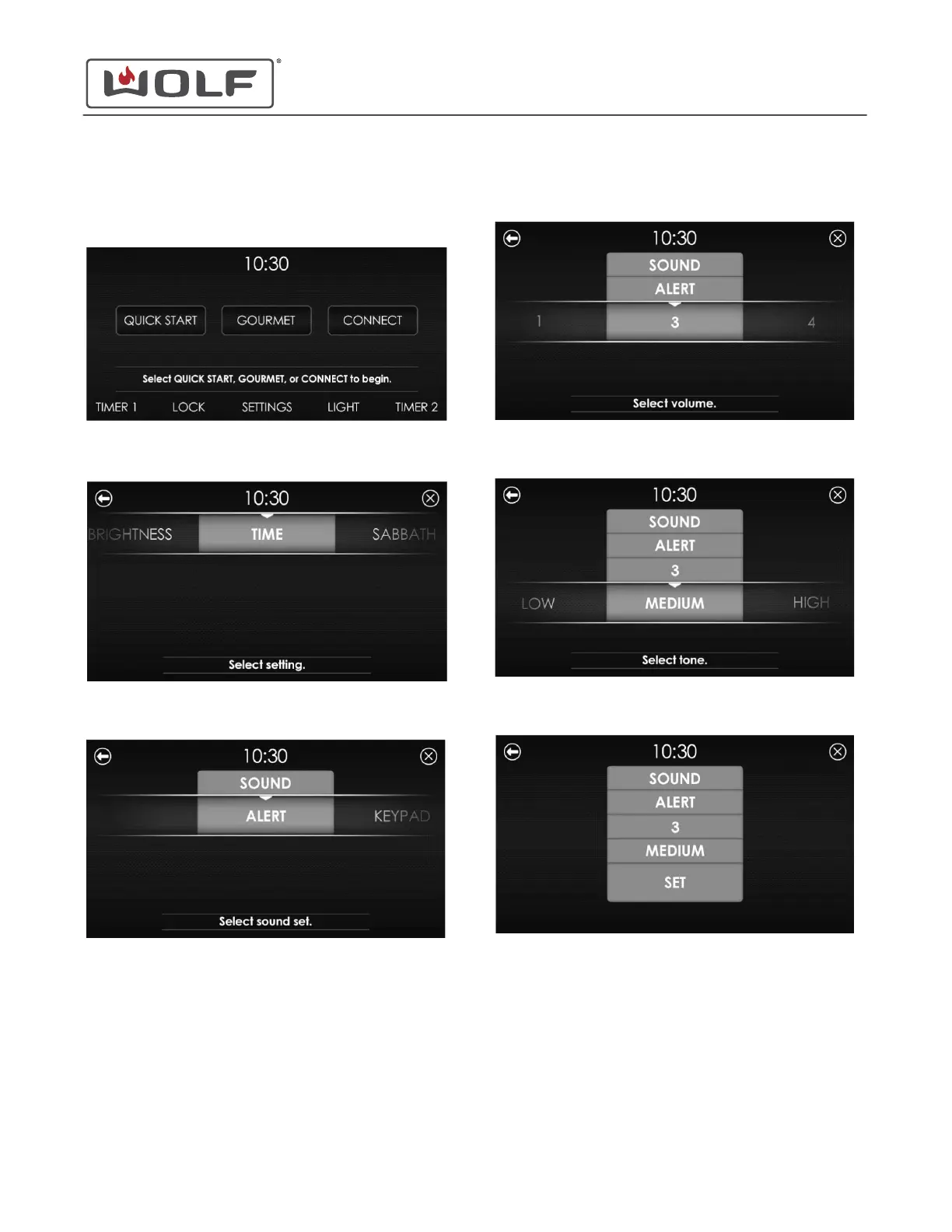
ADJUST VOLUME AND TONE
1 Touch the time on the display. The Home screen appears.
2 Touch Settings. The Settings screen appears.
3 Scroll to Sound on the UIM. Touch Sound. The Sound
screen appears.
4
Scroll to Alert or Keypad to set the sound for that option.
Touch the selected option. The Volume screen appears.
5 Scroll to select Mute, 1, 2, 3, 4, or 5. Touch the selected
volume. The Tone screen appears.
6 Scroll to select Low, Medium, or High. Touch the selected
tone. The Set screen appears.
7 Touch Set. The Home screen appears.
30" and 36" Induction Range
Settings
Adjust Volume and Tone (continued)
service.subzero.com
829191 REVA
15



 To Next Page