5 When the preheat is complete, the oven chimes once.
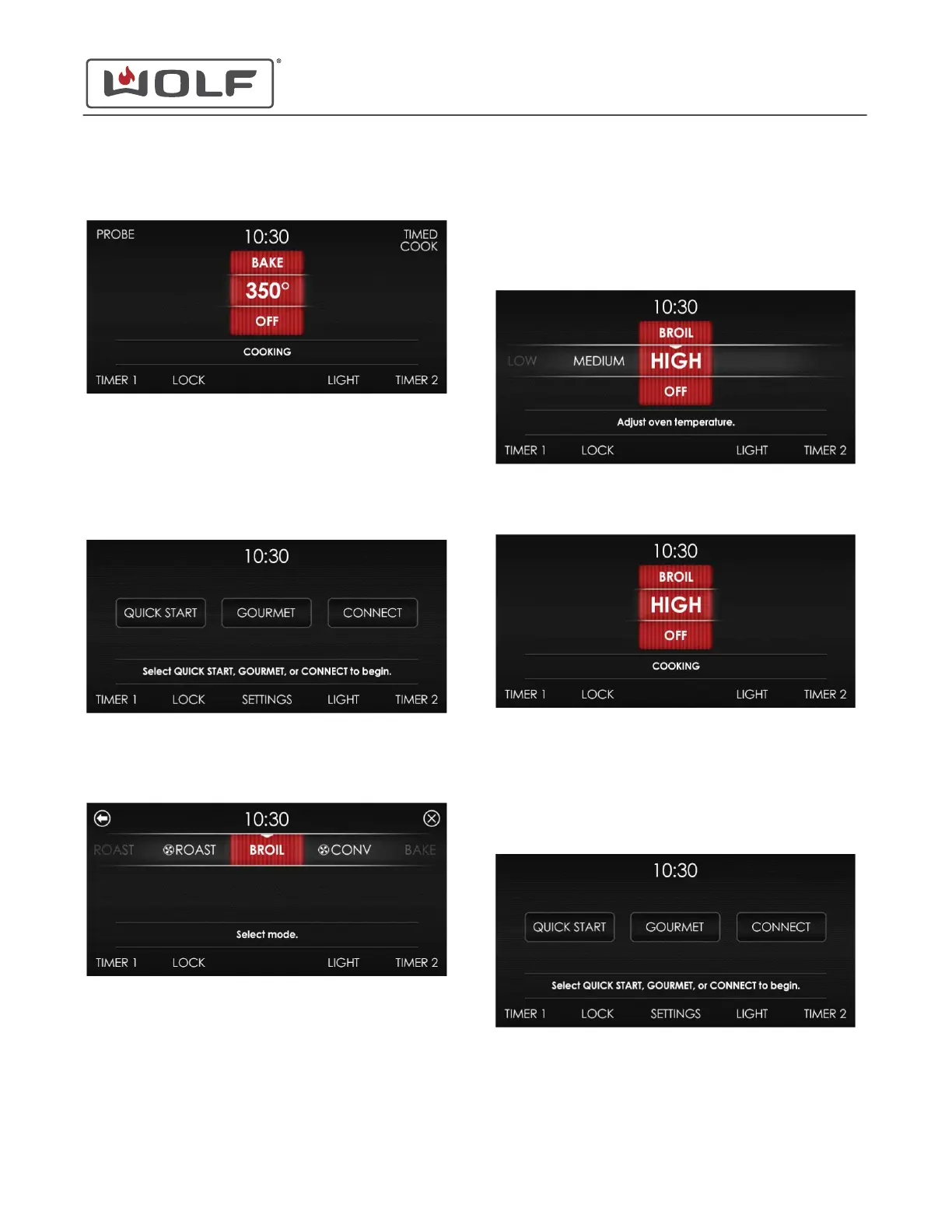
BROIL MODE
1 Touch the time on the display. The Home screen appears.
2 Touch Quick Start, and the Select Mode screen appears.
Scroll until Broil is centered.
3
Touch Broil. The Adjust Oven Temperature screen appears.
Set the Broil mode to High, Medium, or Low.
• Adjust the temperature by scrolling left or right.
• Touching the centered setting turns the oven on at the
indicated setting.
4 There is no preheat for Broil Mode.
ROAST MODE
1 Touch the time on the display. The Home screen appears.
30" and 36" Induction Range
Cooking Modes
BAKE MODE (continued)
service.subzero.com
829191 REVA
18



 To Next Page