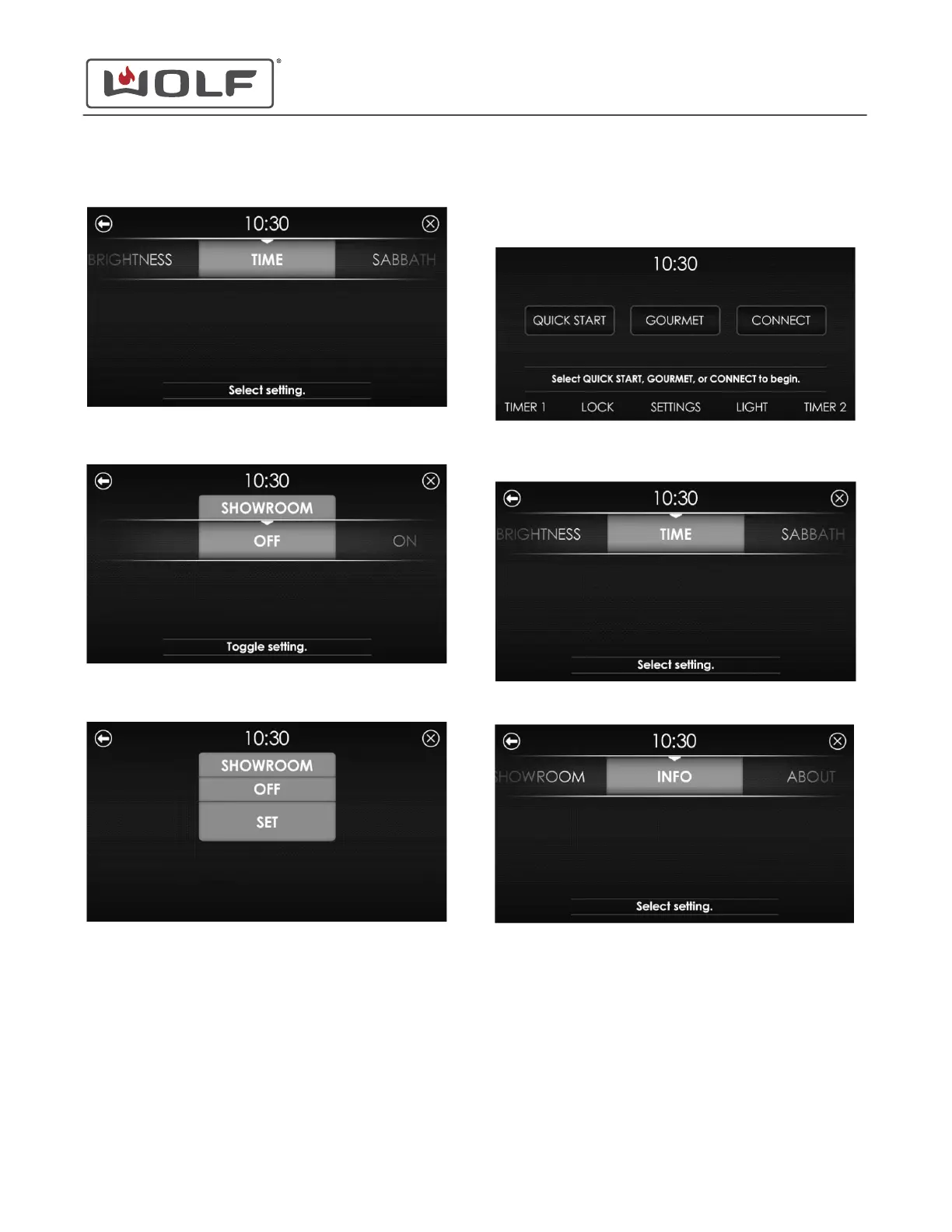
2 Touch Settings. The Settings screen appears.
3 Scroll to Showroom on the UIM. Touch Showroom. The
Showroom screen appears.
4 Scroll left or right to highlight the On or Off option. Touch
the selection. The Set Showroom screen appears.
5 Touch Set. The Home screen appears. When the unit is in
Showroom Mode, "Showroom" appears on the Home
screen.
OPTION INFO
1 Touch the time on the display. The Home screen appears.
2 Touch Settings. The Settings screen appears.
3 Scroll to Info on the UIM.
30" and 36" Induction Range
Settings
SET SHOWROOM MODE (continued)
service.subzero.com
829191 REVA
11



 To Next Page