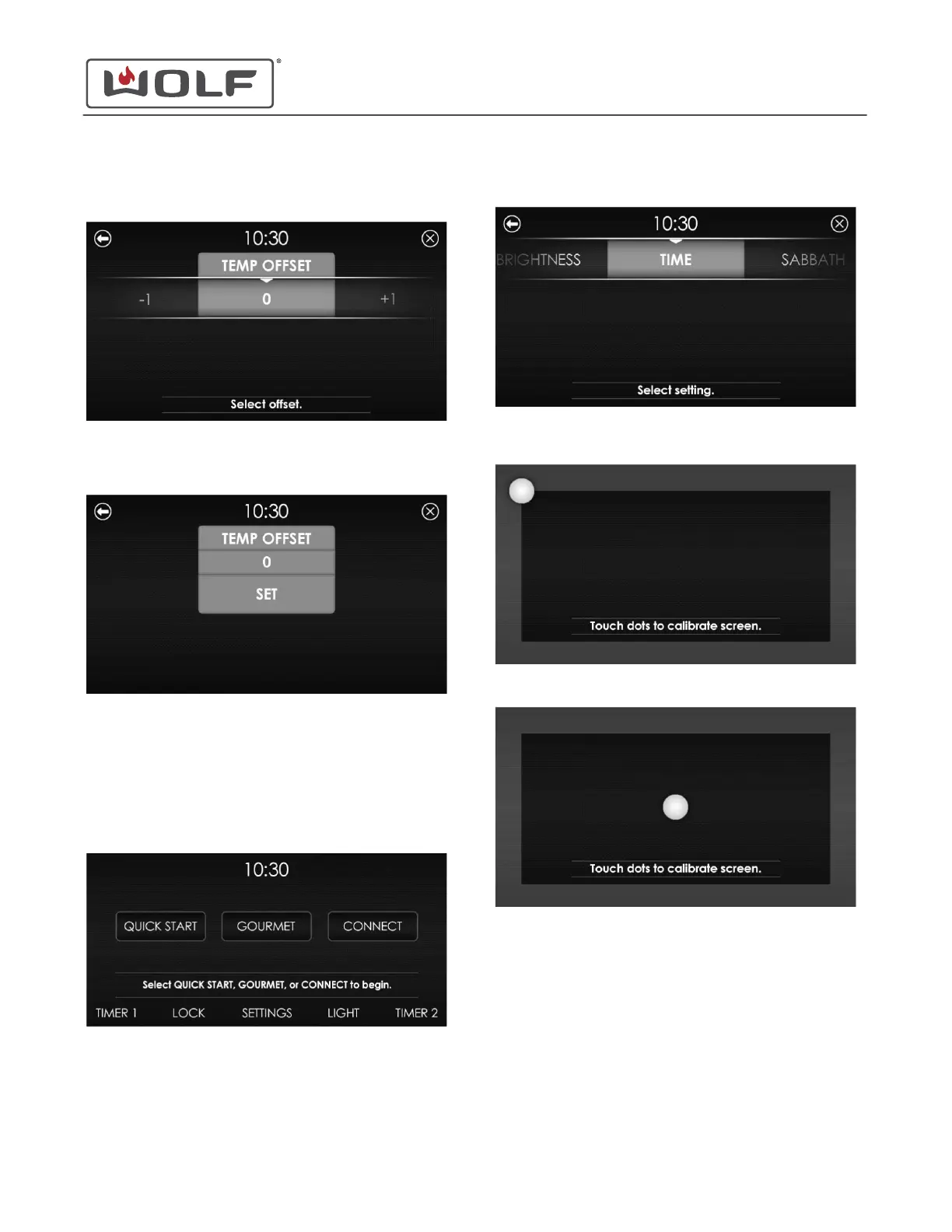
3 Scroll to Temp Offset on the UIM. Touch Temp Offset. The
Temp Offset screen appears.
4 Scroll to set the Temp Offset between -35°F to 35°F (-19°C
to 19°C). Touch the temperature offset. The Temp Offset Set
screen appears.
5 Touch Set. The Home screen appears.
CALIBRATE THE SCREEN
1 Touch the time on the display. The Home screen appears.
2
Touch Settings. The Settings screen appears.
3 Scroll to Calibration on the UIM. Touch Calibration. The
Calibration screen appears.
4 Touch the white dot on the display.
5 After touching the white dot in the four corners of the
display, the white dot appears in the center. Touch the
center white dot. The calibration is complete, and the Home
screen appears.
30" and 36" Induction Range
Settings
ADJUST TEMPERATURE OFFSET (continued)
service.subzero.com
829191 REVA
14



 To Next Page