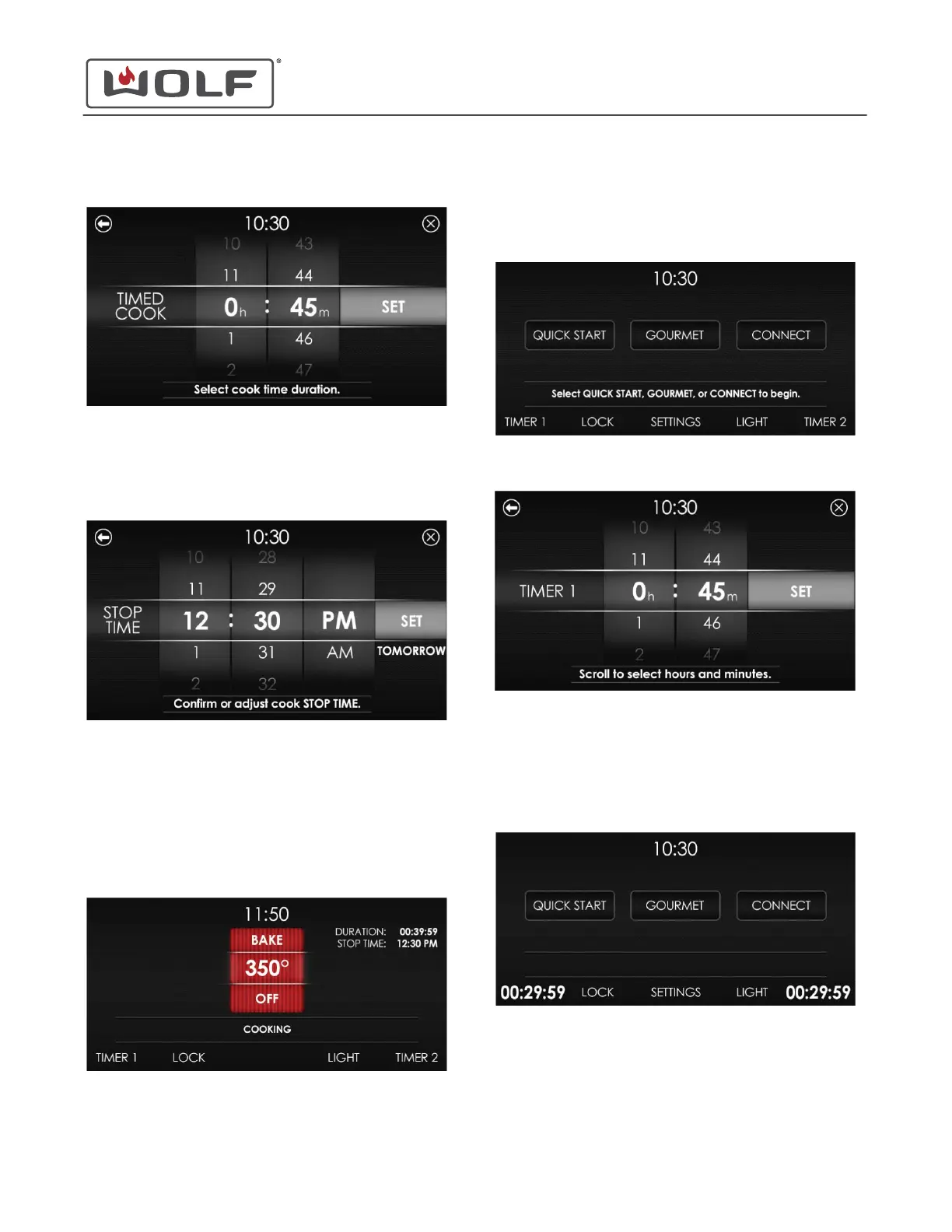
2 The Select Cook Time Duration screen appears.
• Scroll to select the hour and minutes and set the
amount of cooking time.
• Touch the control panel to enter the cook time
duration.
3 Touch Set. The Stop Time screen appears.
• Scroll to select the hour and minutes and set the stop
time.
• Changing the stop time changes the time the oven
starts heating.
• If the stop time is not adjusted, the oven starts
immediately.
• If the stop time is the next day, "Tomorrow" appears.
4 Touch Set. The cooking mode or recipe screen appears.
• The oven will start and shut-off at the time set.
• The probe is not available in Timed Cook.
TIMER 1 AND TIMER 2
1 From the Home screen or cooking mode, touch Timer 1 or
Timer 2.
2 The Timer 1 or Timer 2 screen appears.
• Scroll to select the hour and minutes and set the
amount of cooking time.
• Hours: From 0 hours to 99 hours.
• Minutes: From 0 minutes to 59 minutes.
3 Touch Set. The screen returns to the Home screen or
cooking mode.
• Timer 1 is on the left side of the screen.
• Timer 2 is on the right side of the screen.
• When there is one minute remaining on the timer, the
oven chimes once.
• When the timer expires, the timer flashes and chimes.
• The timer use is independent of oven use.
30" and 36" Induction Range
Auxilary Controls
TIMED COOK (continued)
service.subzero.com
829191 REVA
29



 To Next Page