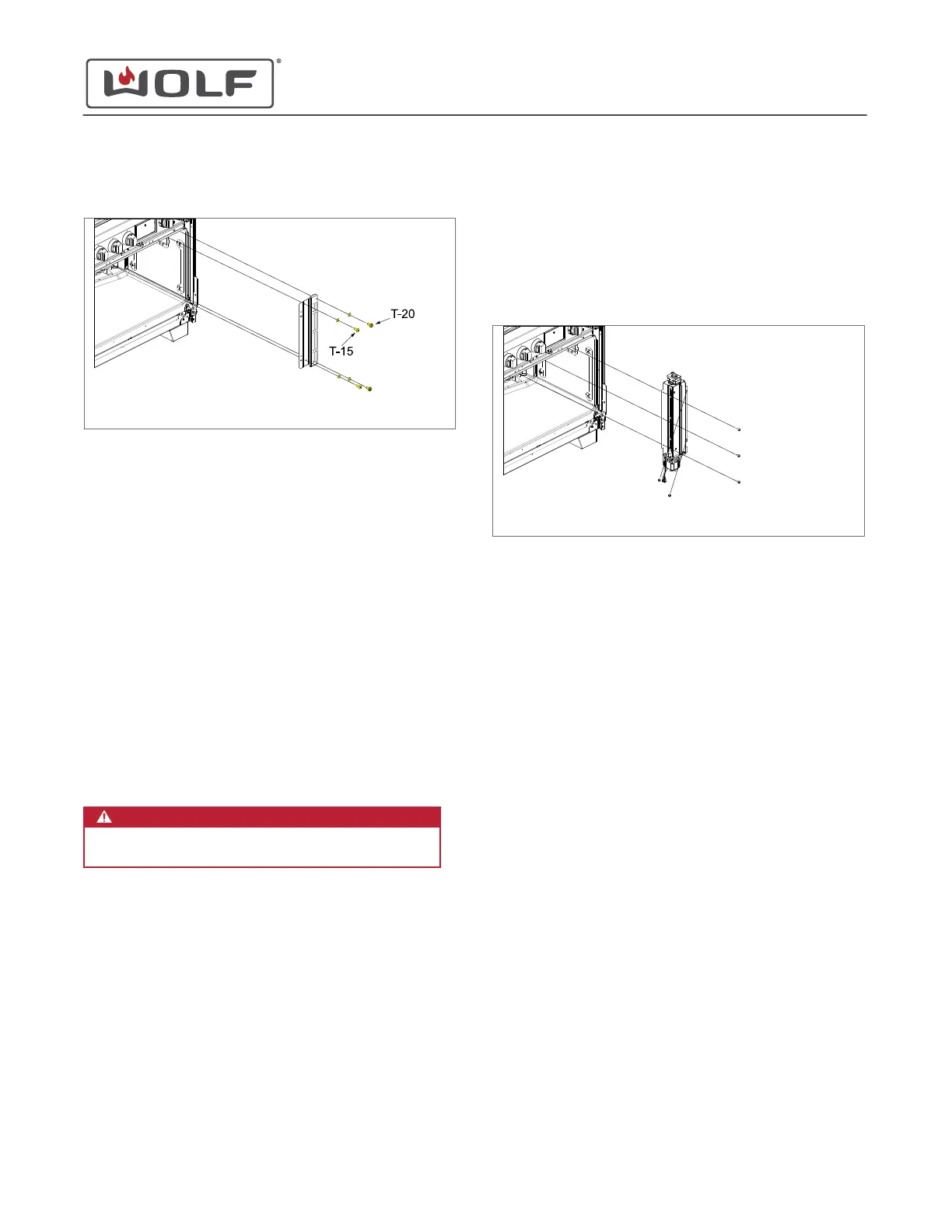
4 Remove the oven baffle from the unit.
Dual Fuel unit shown
OVEN BAFFLE INSTALLATION
After installing the oven baffle, install:
1
Intake baffle
2
Oven door
Install the Oven Baffle
1 Place the oven baffle against the back of the oven cavity.
2 Place the mica washers on to the oven baffle screws.
3 Use a T-15 and T-20 Torx bit to install the oven baffle
mounting screws.
CONVECTION FAN REMOVAL
WARNING
Disconnect the product from the power source
before starting this procedure.
To remove the convection fan, first remove:
1
Oven door
2
Skirt
3
Cover collar
4
Gasket
5
Intake baffle
6
Oven baffle
Then pull the
bake tray assembly
forward.
Remove the Convection Fan
1 Use a T-20 Torx bit to remove the convection fan mounting
screws.
2
Lower the convection fan and move the top of the fan
toward the front of the unit.
3 Pull the convection fan forward.
4 Disconnect the convection fan wire harness from the unit
harness.
5 Remove the convection fan from the unit.
Dual Fuel unit shown
CONVECTION FAN INSTALLATION
After installing the convection fan, first push the
bake tray
assembly
back into the oven. Then, install:
1
Oven baffle
2
Intake baffle
3
Gasket
4
Cover collar
5
Skirt
6
Oven door
Install the Convection Fan
IMPORTANT NOTE: A major reason for noise issues is the
convection fan wire harness coming into contact with the
convection fan. Make sure the wire harness is clear of the
convection fan.
1 Connect the convection fan wire harness to the unit
harness.
2 Place the convection fan into the unit.
3 Use a T-20 Torx bit to install the convection fan mounting
screws.
30" and 36" Induction Range
Cavity Component Removal and Installation
REMOVE THE OVEN BAFFLE (continued)
service.subzero.com
829191 REVA
60



 To Next Page