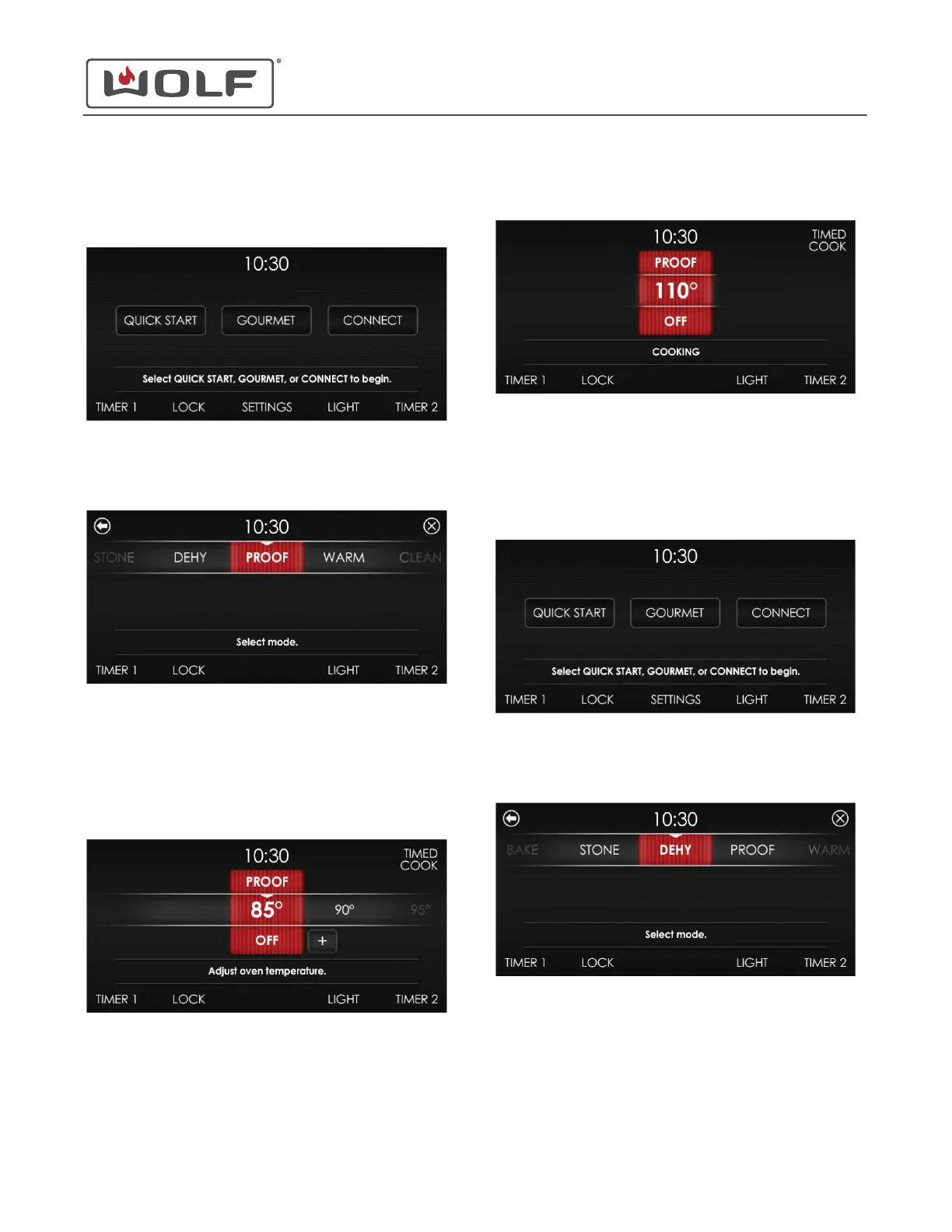
PROOF MODE
1 Touch the time on the display. The Home screen appears.
2 Touch Quick Start, and the Select Mode screen appears.
Scroll until Proof is centered.
3 Touch Proof. The Adjust Oven Temperature screen appears.
• Adjust the temperature by scrolling left or right (large
increments) or touching plus (+) or minus (-) (small
increments).
• Touching the centered temperature turns the oven on
at the indicated temperature.
4
The oven enters cooking.
DEHYDRATE MODE
1 Touch the time on the display. The Home screen appears.
2 Touch Quick Start, and the Select Mode screen appears.
Scroll until Dehy is centered.
30" and 36" Induction Range
Cooking Modes
Proof Mode (continued)
service.subzero.com
829191 REVA
23



 To Next Page