SETTINGS
Settings allow the user to select preferences as listed in the table below.
SETTINGS
Name Function
Time
Set the day and select between 12-hour and 24-hour formats. Scroll up and down to adjust
hours, minutes, 12-hour or 24-hour clock, and AM or PM (for 12-hour clock).
Sabbath
This appliance is certified by Star-K to meet strict regulations along with the specific
instructions found on www.star-k.org. The modes available while in Sabbath Mode are Bake,
Roast, Warm, and Proof.
Clock Change the way the clock appears when the oven is not in operation.
Connect Turn on or off the unit's ability to connect to the Sub-Zero Group Owner's App.
Standby Low-power draw while the oven is idle. When Standby is on, the display is off while the oven
is idle. When Standby is off, the display shows the clock while the oven is idle.
Language Change the language of the unit. Choices include Dutch, English, French, German, Italian,
Chinese, and Spanish.
Units Set the measurement units to either imperial or metric.
Showroom For use by showrooms only. If Showroom Mode is on, the oven is not useful for normal
operation.
Info Information about the icons on the UIM, settings, and cooking modes.
About System information, including the oven serial number.
Temp Offset Increase or decrease the temperature up to 35°F (19°C) from the RTD temperature being
used by the controls. This internal offset is reflected in the temperature display. Wolf
Appliance's assistance is recommended.
Calibration Calibrate the touch location to graphic elements on the display. This setting is useful when
touching the screen from sharp angles.
Sound Adjust the volume and frequency of the beeper and chime tone.
Brightness Allows you to adjust the brightness of the display.
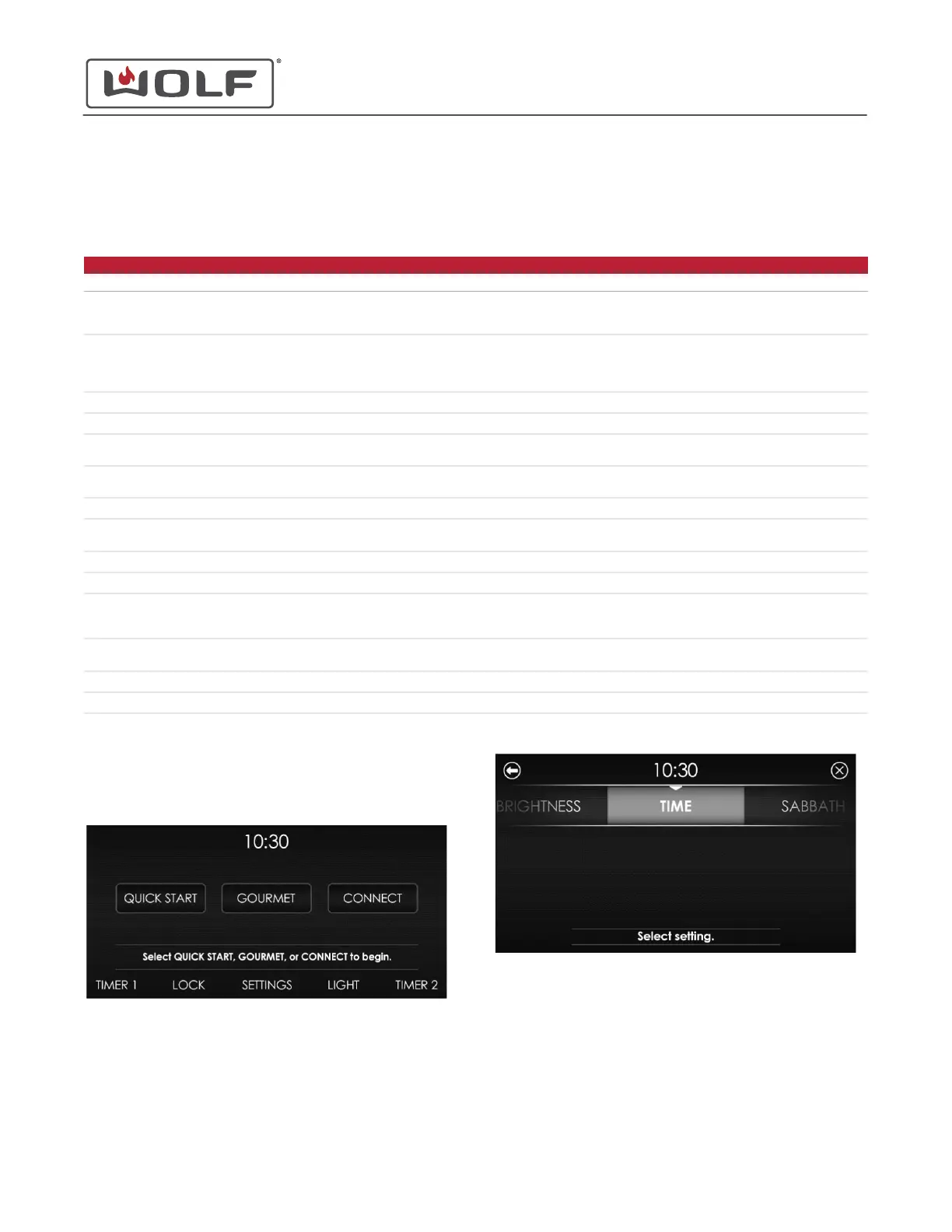
SET THE TIME
1 Touch the time on the display. The Home screen appears.
2 Touch Settings. The Settings screen appears.
30" and 36" Induction Range
Settings
service.subzero.com
829191 REVA
4



 To Next Page