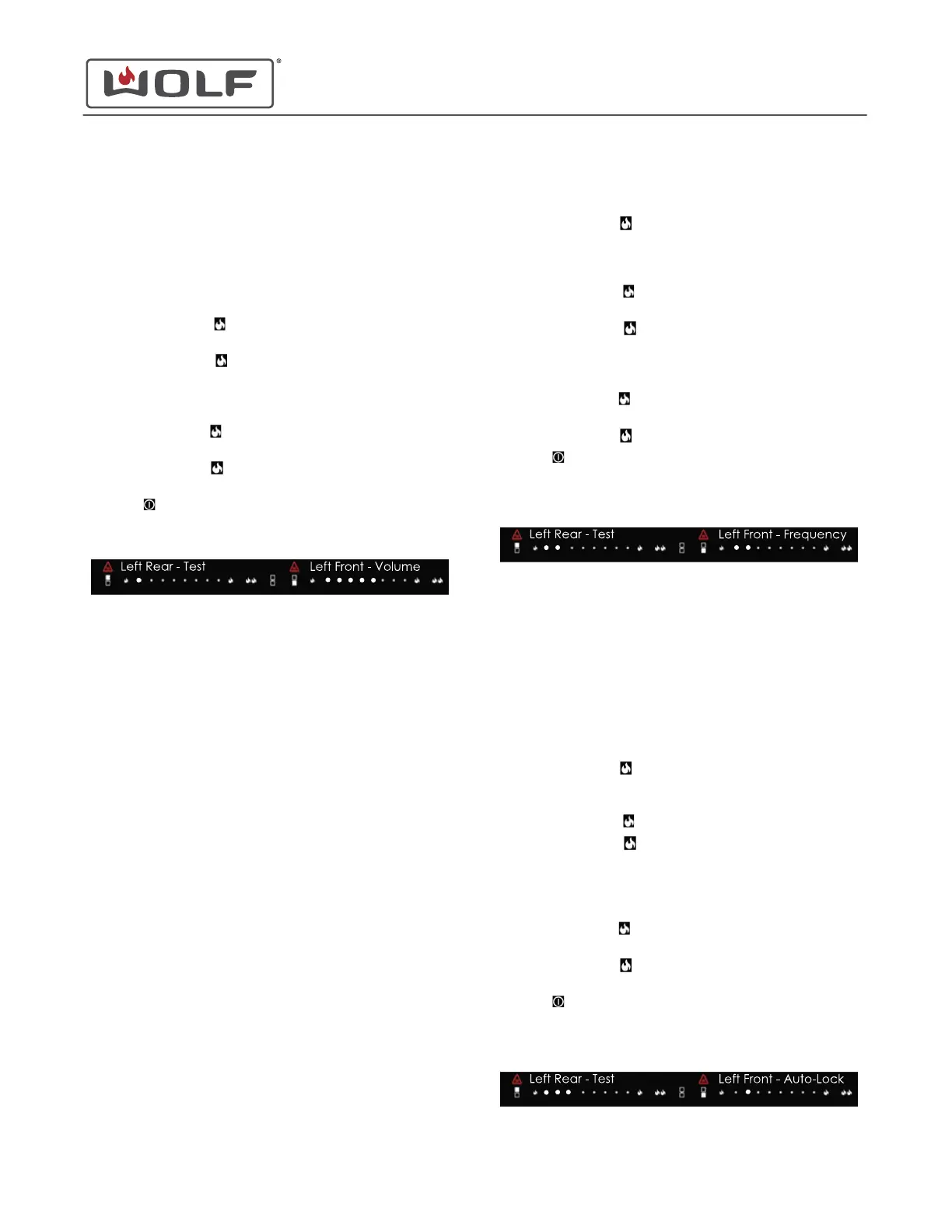
Annunciator Volume Setting
When entering User Options Mode, one dot appears on the left
rear power level selector. "Uo" appears on the display.
TIP: The fully illuminated dots in the image are shown larger for
clarity.
The left front shows the current volume. The factory setting is a
volume of five out of eight.
•
Touch the left front
(low) to decrease the annunciator
volume.
•
Touch the left front
(high) to increase the annunciator
volume.
• The cooktop beeps at each new volume setting.
• The volume range is one to eight.
•
Touch the left rear
(low) to move backward to LED
brightness setting.
•
Touch the left rear
(high) to move forward to Annunciator
Frequency.
•
Touch
to return to the lock setting.
• Not touching the cooktop for 30 seconds returns the
cooktop to the lock setting.
Annunciator Frequency Setting
When entering User Options Mode, one dot is shown on the left
rear power level selector. "Uo" appears on the display.
TIP: The fully illuminated dots in the image are shown larger for
clarity.
The left front shows the current frequency. The frequency
setting from the factory is two out of three.
•
Touch the left rear (high) to move to Annunciator
Frequency.
• Two dots are shown on the left rear power level selector.
"Fr" appears on the display.
•
Touch the left front
(low) to decrease the annunciator
frequency.
•
Touch the left front
(high) to increase the annunciator
frequency.
• The cooktop beeps at each new frequency setting.
• The annunciator frequency range is one to three.
•
Touch the left rear
(low) to move backward to
annunciator volume setting.
•
Touch the left rear
(high) to move forward to Auto-Lock.
•
Touch
to return to the lock setting.
• Not touching the cooktop for 30 seconds returns the
cooktop to the lock setting.
Auto-Lock Setting
When entering User Options Mode, one dot is shown on the left
rear power level selector. "Uo" appears on the display.
TIP: The fully illuminated dots in the image are shown larger for
clarity.
The left front shows the current status of Auto-Lock. Auto-Lock
is disabled in the default factory settings.
•
Touch the left rear
(high) to move forward to Auto-Lock.
• Three dots appear on the left rear power level selector. "Lo"
appears on the display.
•
Touch the left front
(low) to disable Auto-Lock.
•
Touch the left front
(high) to enable Auto-Lock.
• If the first left front dot is illuminated, the Auto-Lock is
disabled.
• If the second left front dot is illuminated, the Auto-Lock is
enabled.
•
Touch the left rear
(low) to move backward to
annunciator frequency setting.
•
Touch the left rear
(high) to move forward to the LED
brightness setting.
•
Touch
to return to the lock setting.
• Not touching the cooktop for 30 seconds returns the
cooktop to the lock setting.
30" and 36" Induction Range
Cooktop Controls
Annunciator Volume Setting (continued)
service.subzero.com
829191 REVA
40



 To Next Page