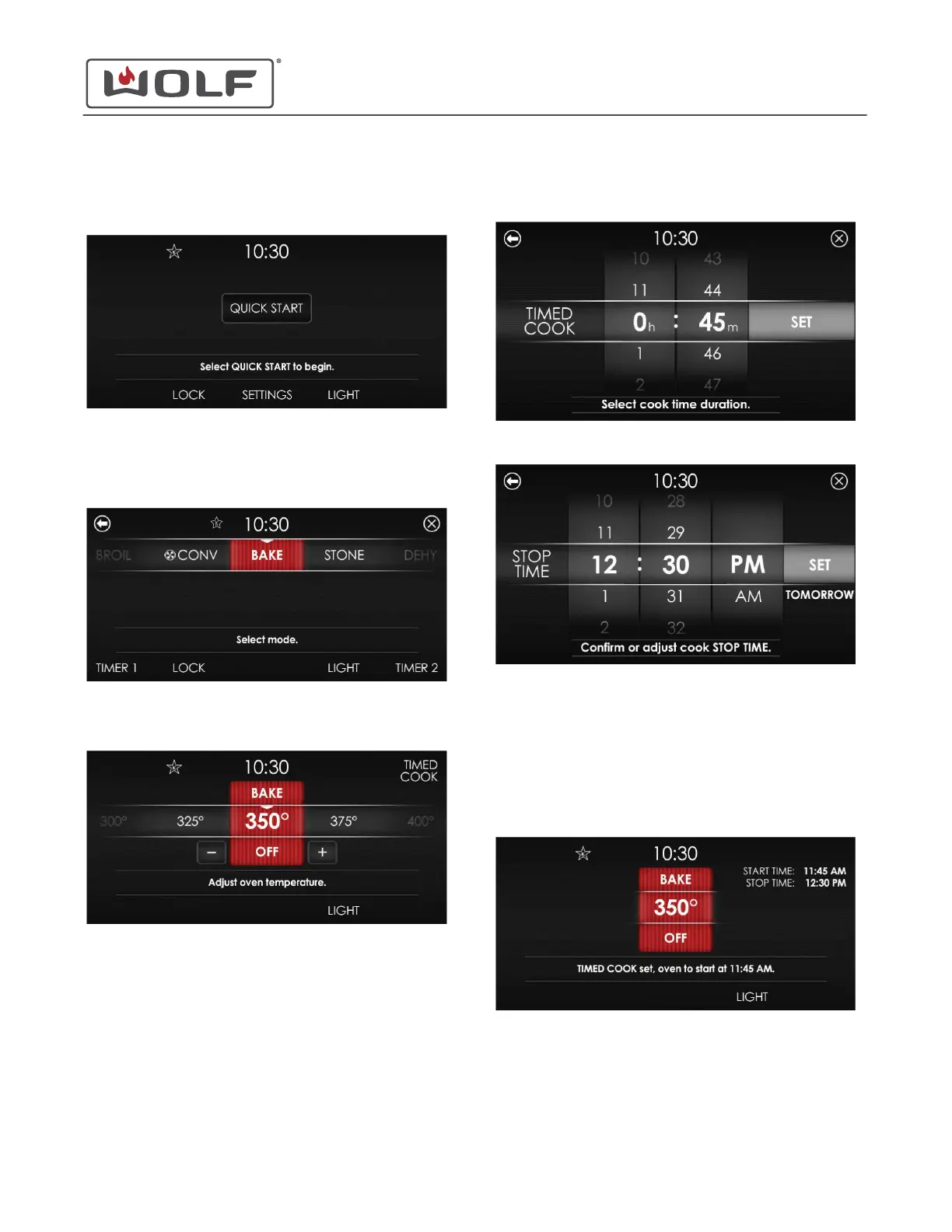
5 Touch Set. The Home screen with the Sabbath icon
appears.
6 Touch Quick Start, and the Cooking Mode screen appears.
Scroll until Bake, Roast, or Warm is centered. The other
modes are not available in Sabbath.
7 Set the temperature.
8 Touch Light to turn the oven light on or off for Sabbath.
9
Touch Timed Cook. The Select Cook Time Duration screen
appears.
10 Touch Set. The Stop Time screen appears.
• Scroll to select the hour and minutes and set the stop
time.
• Changing the stop time changes the time the oven
starts heating.
• If the stop time is not adjusted, the oven starts
immediately.
• If the stop time is the next day, "Tomorrow" appears.
11 Touch Set. The cooking mode screen appears.
30" and 36" Induction Range
Settings
SET SABBATH MODE (continued)
service.subzero.com
829191 REVA
6



 To Next Page