3-10 Installation of Printhead and Ink Cartridge Rev AB
Wolke m600 touch Operator Manual
Installation of Printhead and Ink Cartridge
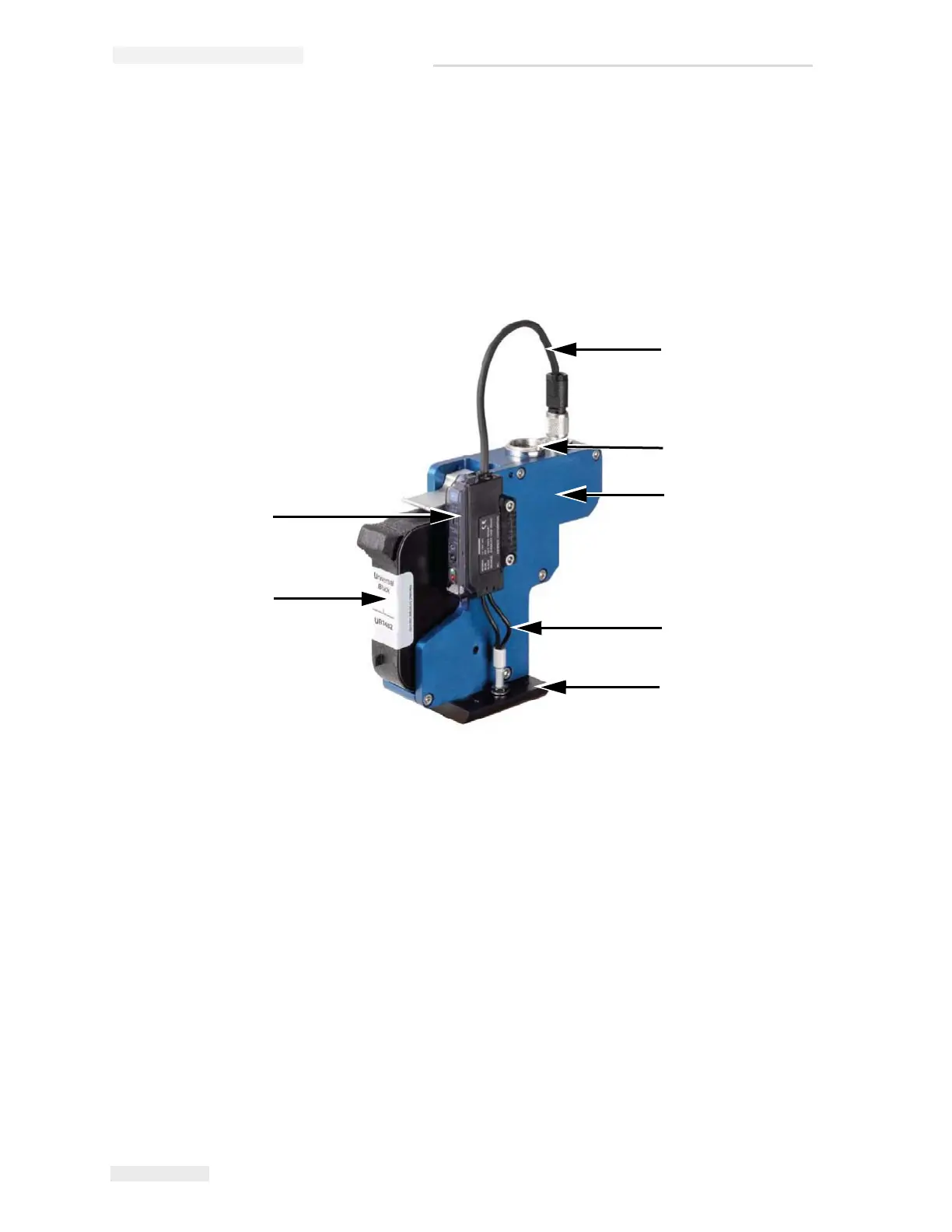
The description of the individual components with reference to the blue
standard printhead is shown in the Figure 3-20.
Note: The ink cartridge is inserted and conventional photoelectric cell is used in
the printhead in this illustration for explanatory purposes. For more information
refer the Service Manual.
1. Connector cable for photoelectric cell -
printhead
2. Terminal for connector cable for
printhead - controller
3. Printhead
4. Optical fibre
5. Head plate
6. Ink cartridge, example type WLK667482
7. Photoelectric cell
1
2
3
4
5
6
7
Figure 3-20: Standard Printhead



 To Next Page