Rev AB Installation of Printhead and Ink Cartridge 3-19
Wolke m600 touch Operator Manual
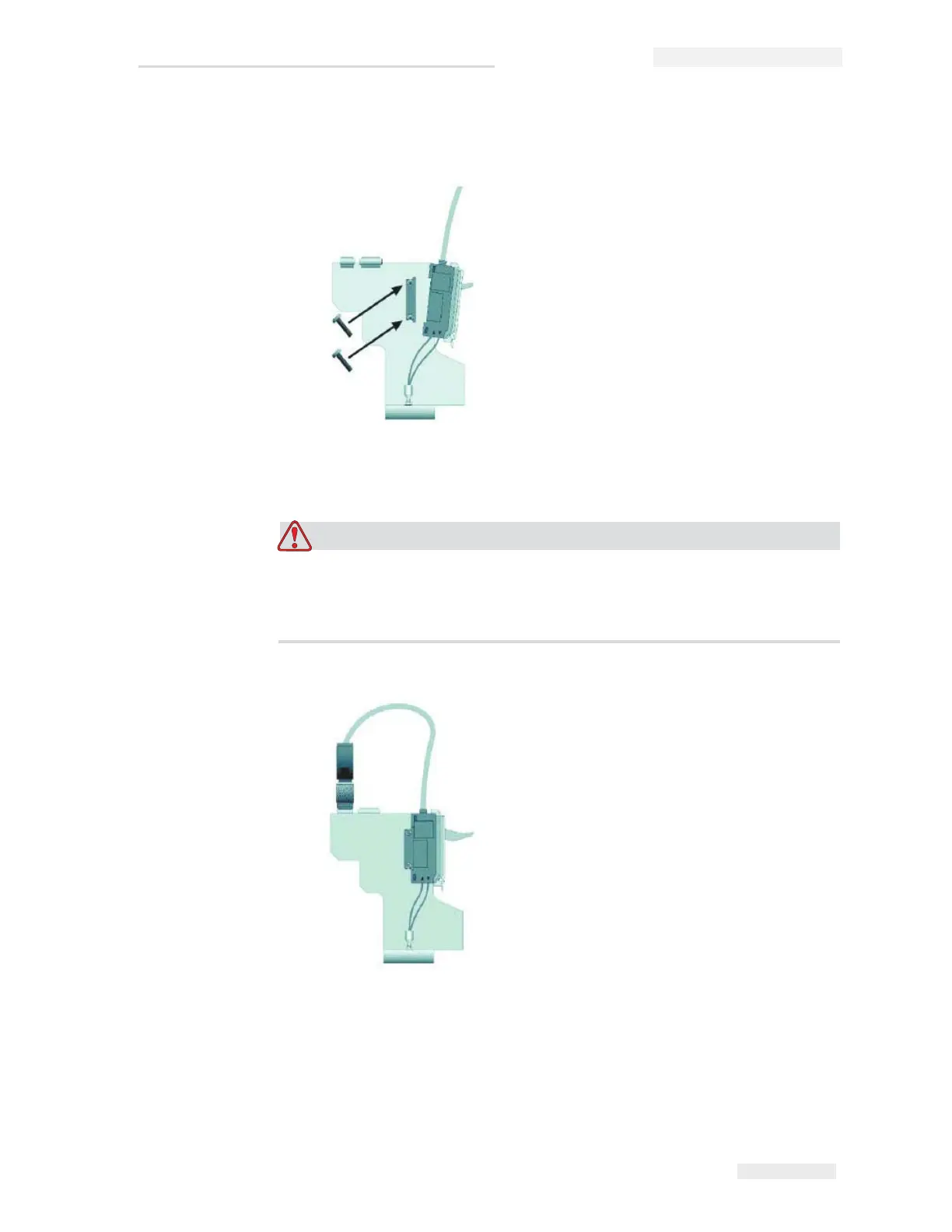
9 Fasten the installation mount to the printhead with the supplied
screws and latch the photoelectric cell onto the installation mount.
10 Insert the connector of the photocell cable into the socket on the
printhead provided to this effect, and tighten the connector by hand.
EQUIPMENT DAMAGE. Make sure to tighten the connector of the
photocell cable only by hand without using any tools, in order to
avoid damage.



 To Next Page