Simple Set PID Settings
WMdoc122320 8-3
8
See Figure 8-2.
4. Press the Auto button several times until "Gear: 0.xxxx" appears.
5. Use the Up /Down buttons to set the value of the Gear Setting as shown in the
table below.
6. Press the Auto button to display "InvGear: xx".
7. Use the Up /Down buttons to set the InvGear setting to the required value as
shown in the table above.
8. Press the Manual button to return to the main menu.
Simple Set PID Settings
1. Make sure the power to the control box is on.
2. Press and hold the Manual button and then press and hold the UP button.
FIG. 8-2
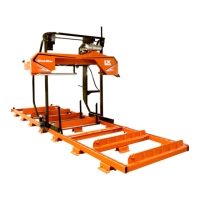
Models Revision Gear Setting InvGear Setting
LT40 (Default) All 0.0938 (Default) No (Default)
LT35/LT35HD A5.00+ (or any revision upgraded
with Up/Down Kit 074316)
0.1170 No
LX150 A1.00+ 0.1350 Yes
TABLE 8-0
3H1128
Scroll Up/Down
Display
Manual
Auto


 To Next Page
 Loading...