4 - 34 Workabout Pro4 (Windows Embedded Hand-Held 6.5) User Manual
• In the Authentication drop-down menu, choose None.
•Tap Next to display the Encryption dialog box.
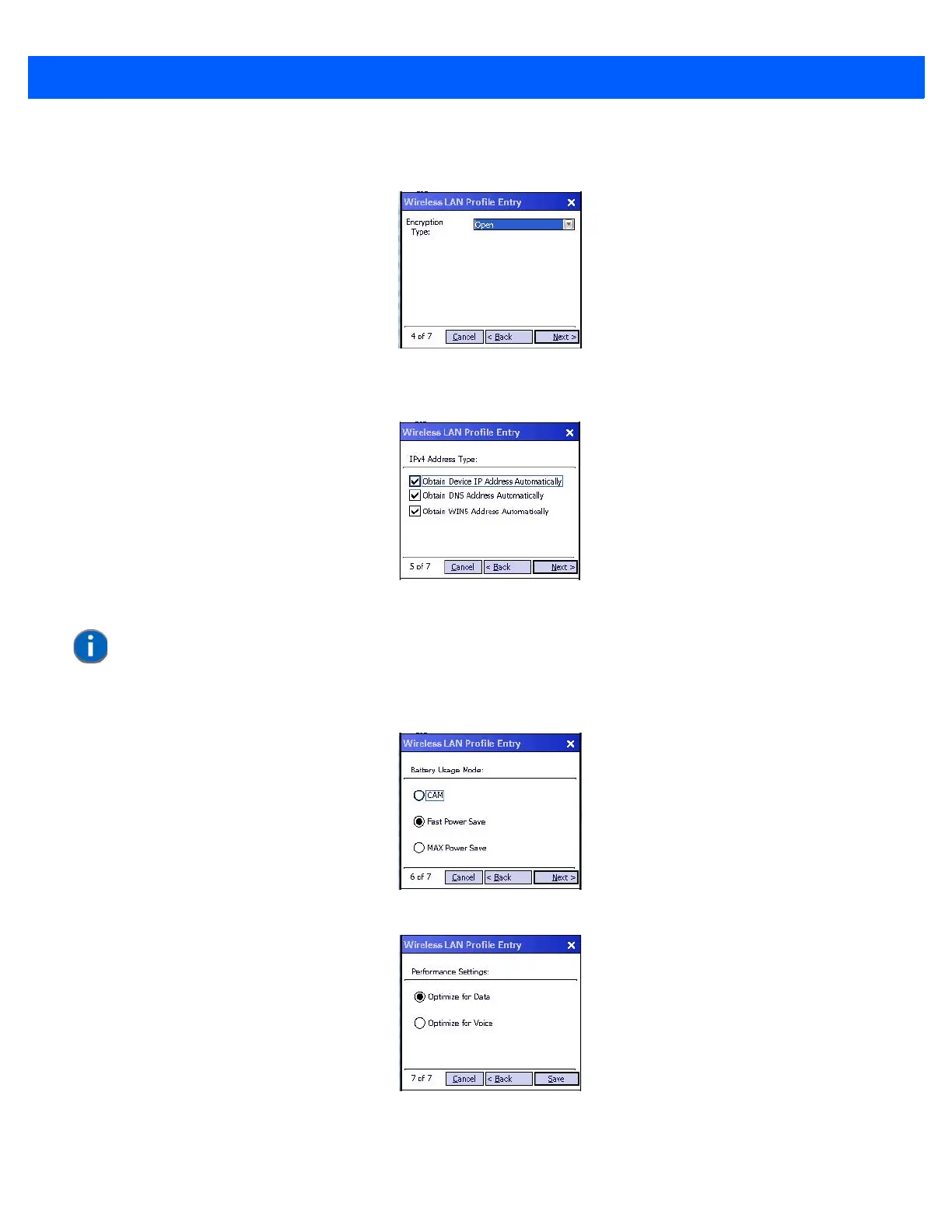
• Choose an Encryption Type from the drop-down menu.
•Tap Next to display the IPv4 Address Entry dialog box.
• Ensure that all three items are checked. Tap on Next.
•Tap Next to display the Battery Usage dialog box, and choose a power consumption option.
•Tap Next to display the Performance Settings dialog box, and choose one of the performance options.
•Tap Save.
NOTE These IPv4 Address Type options are enabled (checked) by default. If you deselect one or more of
them, additional dialog boxes are displayed where you can specify the IP Address, Subnet Mask,
Preferred Gateway and Alternate Gateway.



 To Next Page