Audemat Control Silver v.2.1.x User Manual – 06/2015
Page 17
Head Office : Parc d’activites Kennedy - 20, avenue Neil Armstrong – 33700 Bordeaux-Merignac (France)
Tel +33 (0)5 57 928 928 – Fax +33 (0)5 57 928 929 – contact@worldcastsystems.com – www.worldcastsystems.com
You will need the IP address every time you’ll want to connect to the Audemat Control Silver using the ScriptEasy
or the web application.
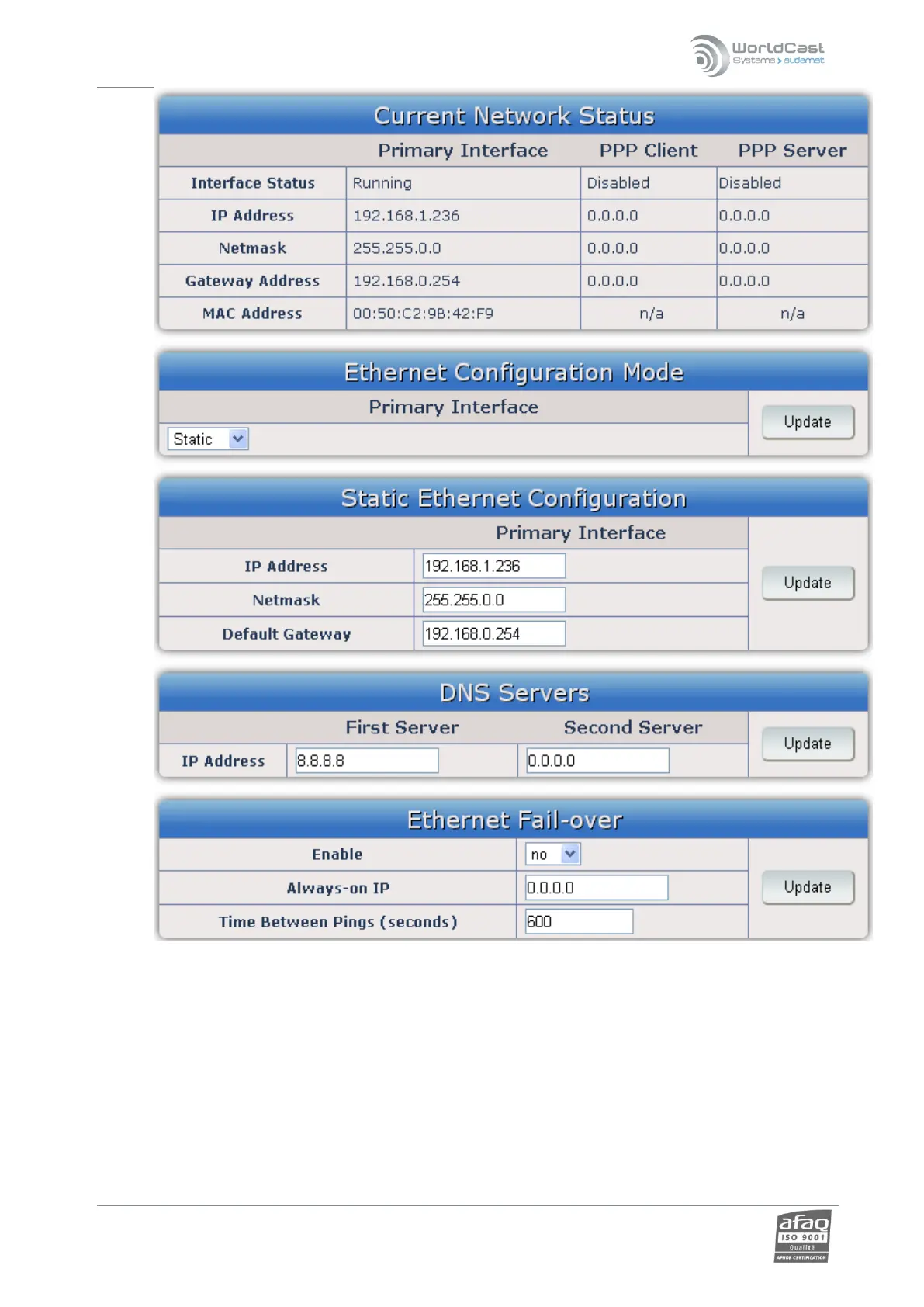
Current network status: current network parameters.
Ethernet configuration mode
The application can be configured for use with a static or dynamic IP address (DHCP).
Static Ethernet configuration
If using a static IP address, enter the parameters in this window.
DNS Servers: DNS configuration.
Click ‘Update’ to save changes!



 To Next Page