Audemat Control Silver v.2.1.x User Manual – 06/2015
Page 38
Head Office : Parc d’activites Kennedy - 20, avenue Neil Armstrong – 33700 Bordeaux-Merignac (France)
Tel +33 (0)5 57 928 928 – Fax +33 (0)5 57 928 929 – contact@worldcastsystems.com – www.worldcastsystems.com
If acknowledgement does not arrive after <n> attempts, the notification will be “frozen”, that is to say, it is put on
standby until a new notification of the same type appears. It can also be manually unblocked by using the “Replay
Traps" button.
It is important to note that non transmitted notifications are not lost. They are kept to be retransmitted as soon as
the right conditions are met. When a new notification appears, the “frozen" notification is reactivated and a cycle
of sending attempts begins again.
The alarm severity level can also be set: a specific manager action is associated with each severity level.
The severity level set for the traps on this page also sets the severity level for the event log, with the following
correspondence table:
Please refer to Appendix A for the complete list of traps.
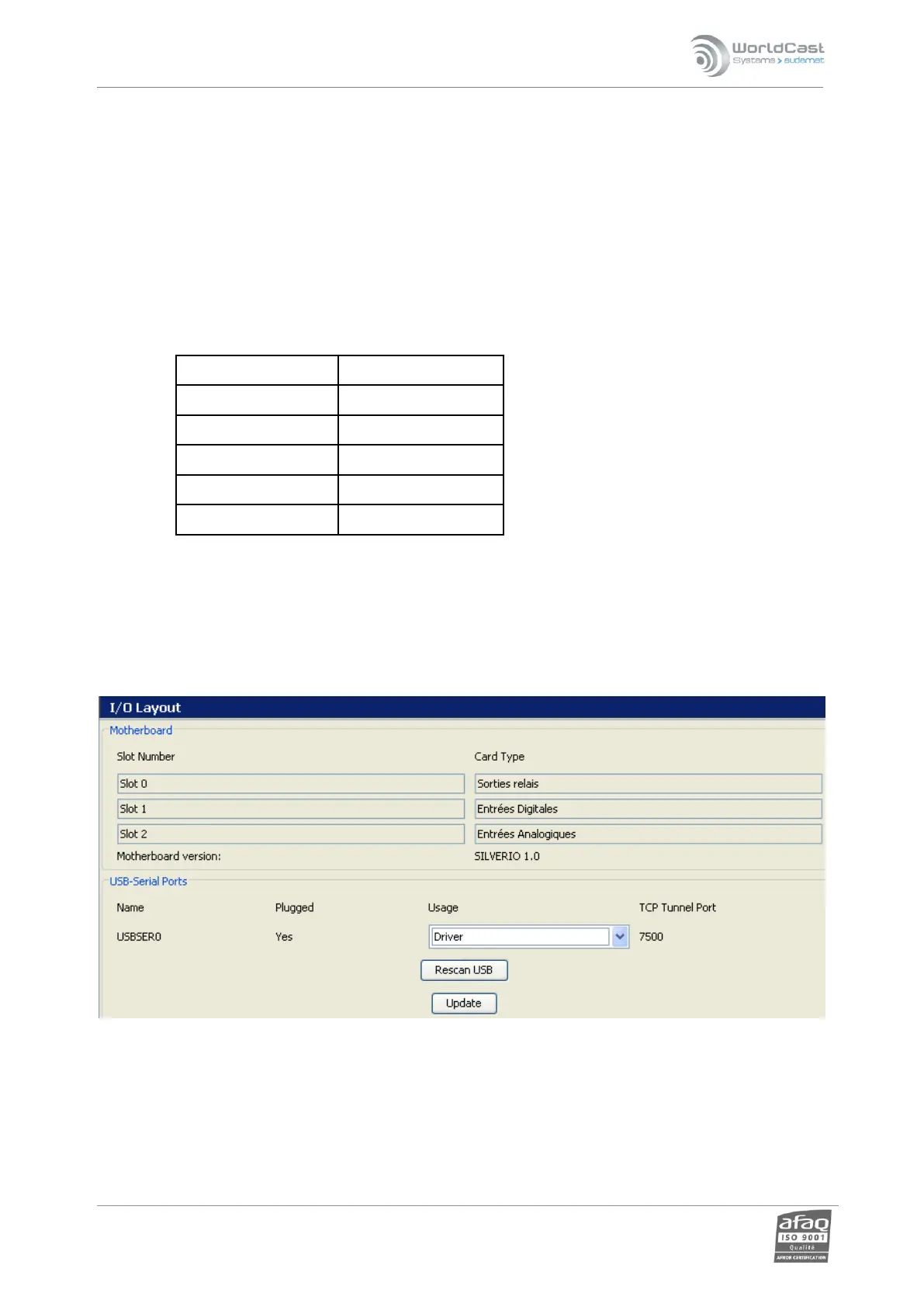
4.15. I/O Layout
USB-Serial ports: configured the unit USB port:
Unset: non-attributed port (inactive).
Modem*
Console*



 To Next Page