Audemat Control Silver v.2.1.x User Manual – 06/2015
Page 19
Head Office : Parc d’activites Kennedy - 20, avenue Neil Armstrong – 33700 Bordeaux-Merignac (France)
Tel +33 (0)5 57 928 928 – Fax +33 (0)5 57 928 929 – contact@worldcastsystems.com – www.worldcastsystems.com
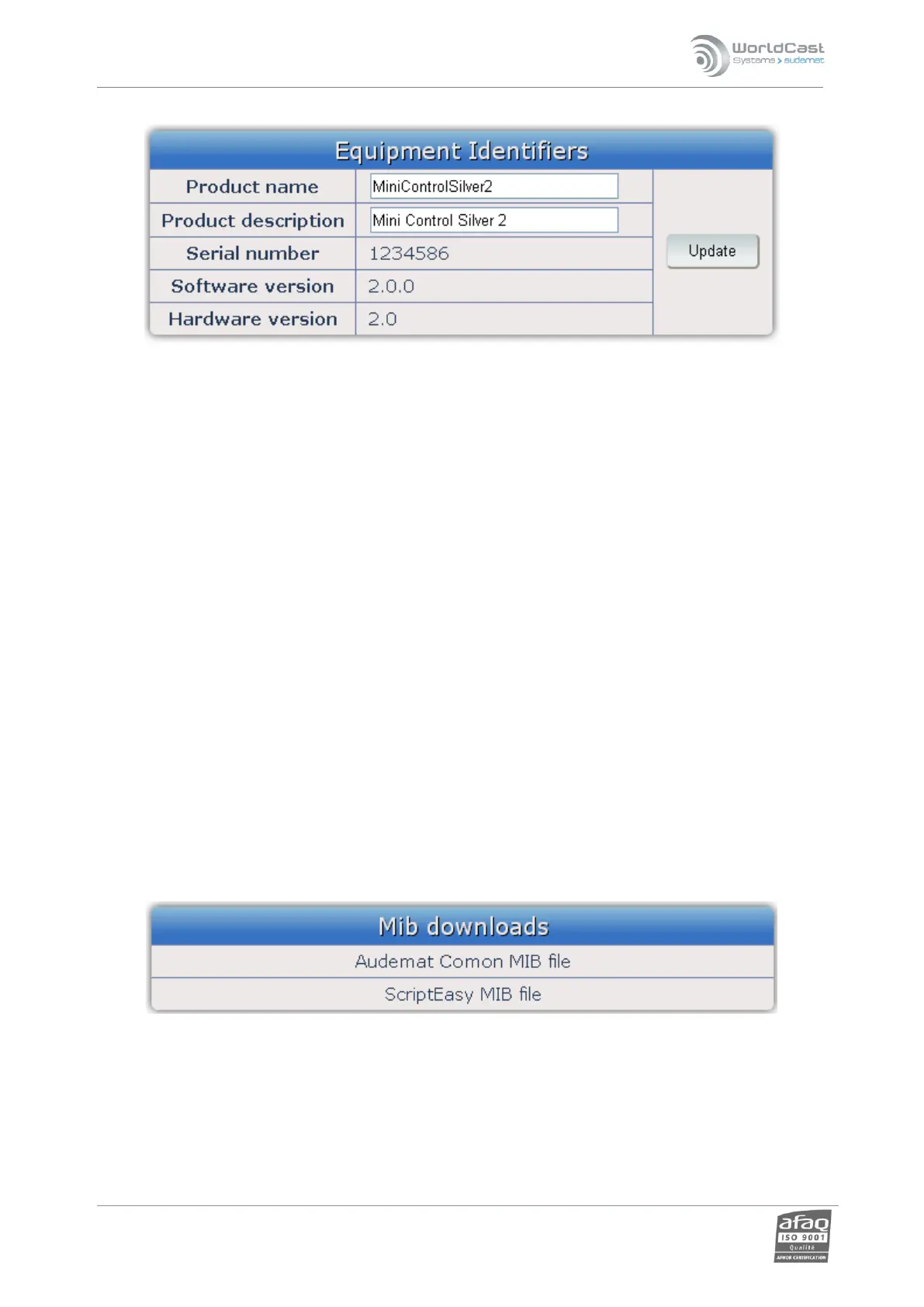
3.3.3. Product Id’s
From the ‘Unit Info’ page, the user can:
Set:
o Product name: this name can be used when connecting with the remote application. It is
therefore recommended to use a unique and easily identifiable name.
o Product description
Both of these settings are optional and at the user’s discretion, but useful to better identify the unit
on the network.
View :
o Serial number
o Software version
o Hardware version
When making changes you must click the “Update” button before leaving the page in order to lock in your
changes.
3.3.4. Downloading the MIBs
The Audemat Control Silver uses two MIBs: AUDEMAT-COMMON-MIB.mib and AUDEMAT-SCRIPTEASY-MIB.mib.
Both can be downloaded by typing in the address bar of the browser: IP_address/mibs.zip, where IP_address is
the IP address of the Audemat Control Silver.
The file mibs.zip includes both MIB files.



 To Next Page