Audemat Control Silver v.2.1.x User Manual – 06/2015
Page 9
Head Office : Parc d’activites Kennedy - 20, avenue Neil Armstrong – 33700 Bordeaux-Merignac (France)
Tel +33 (0)5 57 928 928 – Fax +33 (0)5 57 928 929 – contact@worldcastsystems.com – www.worldcastsystems.com
2.4. Front panel
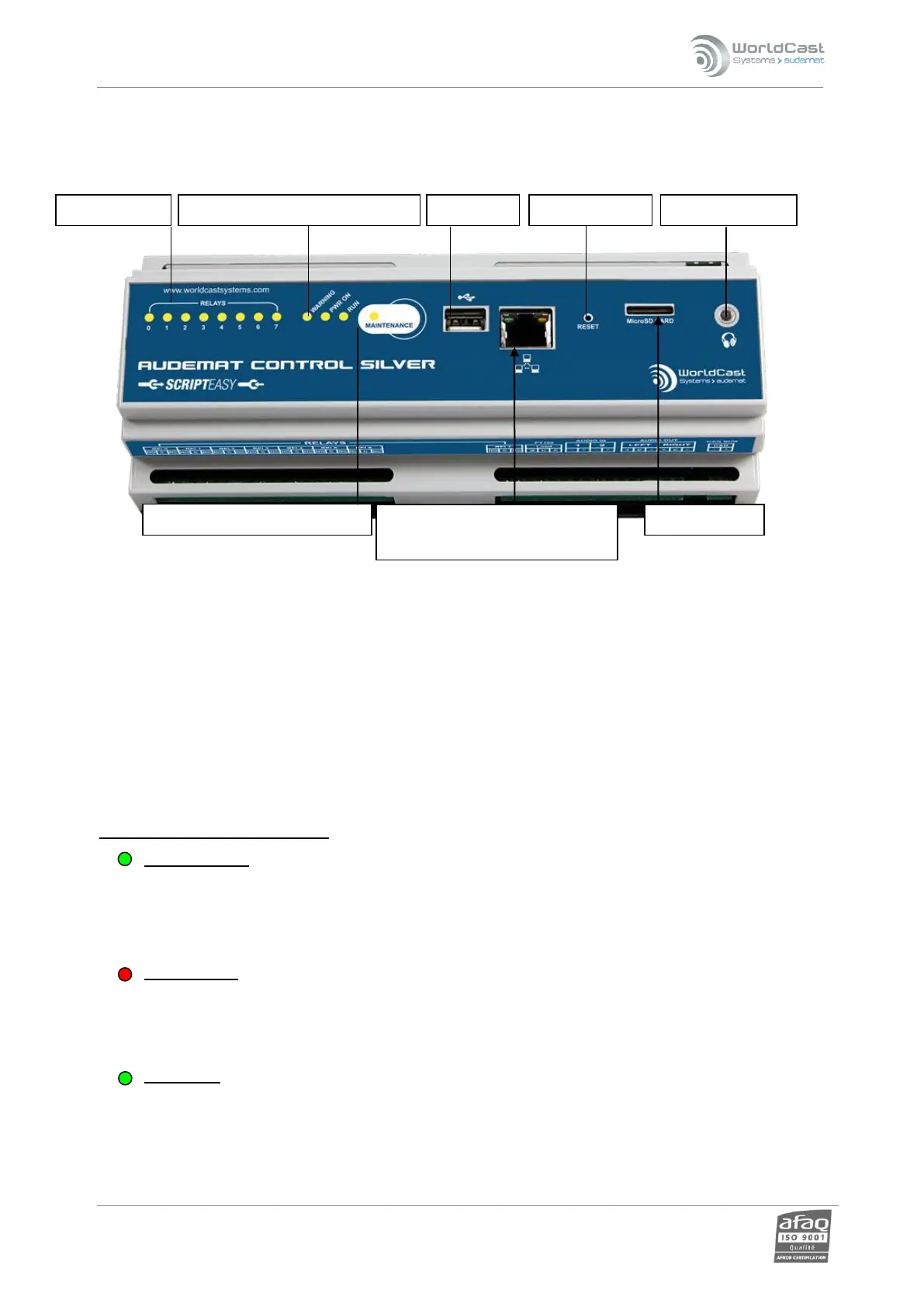
The microSD card’s storage capacity is limited but it can be easily replaced.
If you wish to replace the microSD card, make sure it is formatted in FAT system.
The maintenance mode is turned on and off by pressing once the maintenance button.
! Press the maintenance button for 10 seconds to reset the unit to factory default: ScriptEasy script, network
and system configuration, logs (see appendix B).
To reset the unit without losing the network configuration, use the ScriptEasy application (see section 4.7).
Use a sharp object to restart the Audemat Control Silver with the Reset button
UDescription of the front panel LEDS:
URELAYS 0-7 LEDs
On: the relay is enabled (closed)
Off: the relay is disabled (open)
UWARNING LED
The “Warning” object in ScriptEasy can be set to your specifications. See the ScriptEasy manual for more
details.
UPOWER LED
On: the Audemat Control Silver is on
Off: the Audemat Control Silver is off
Warning, Power and Run LEDs
RJ45 Ethernet cable: for network
or direct connection to PC
Maintenance button and LED
RESET POWER



 To Next Page