Audemat Control Silver v.2.1.x User Manual – 06/2015
Page 49
Head Office : Parc d’activites Kennedy - 20, avenue Neil Armstrong – 33700 Bordeaux-Merignac (France)
Tel +33 (0)5 57 928 928 – Fax +33 (0)5 57 928 929 – contact@worldcastsystems.com – www.worldcastsystems.com
APPENDIX B: RESETTING THE AUDEMAT CONTROL SILVER
In case of issue, as for instance if the IP address has been lost, you can reset the Audemat Control Silver to its
factory settings. During this operation:
The basic Audemat ScriptEasy script will be loaded; it will replace the current script.
Network parameters will be reset to: 172.17.2.172 for the IP address, 255.255.255.0 for the netmask.
Logs will be erased.
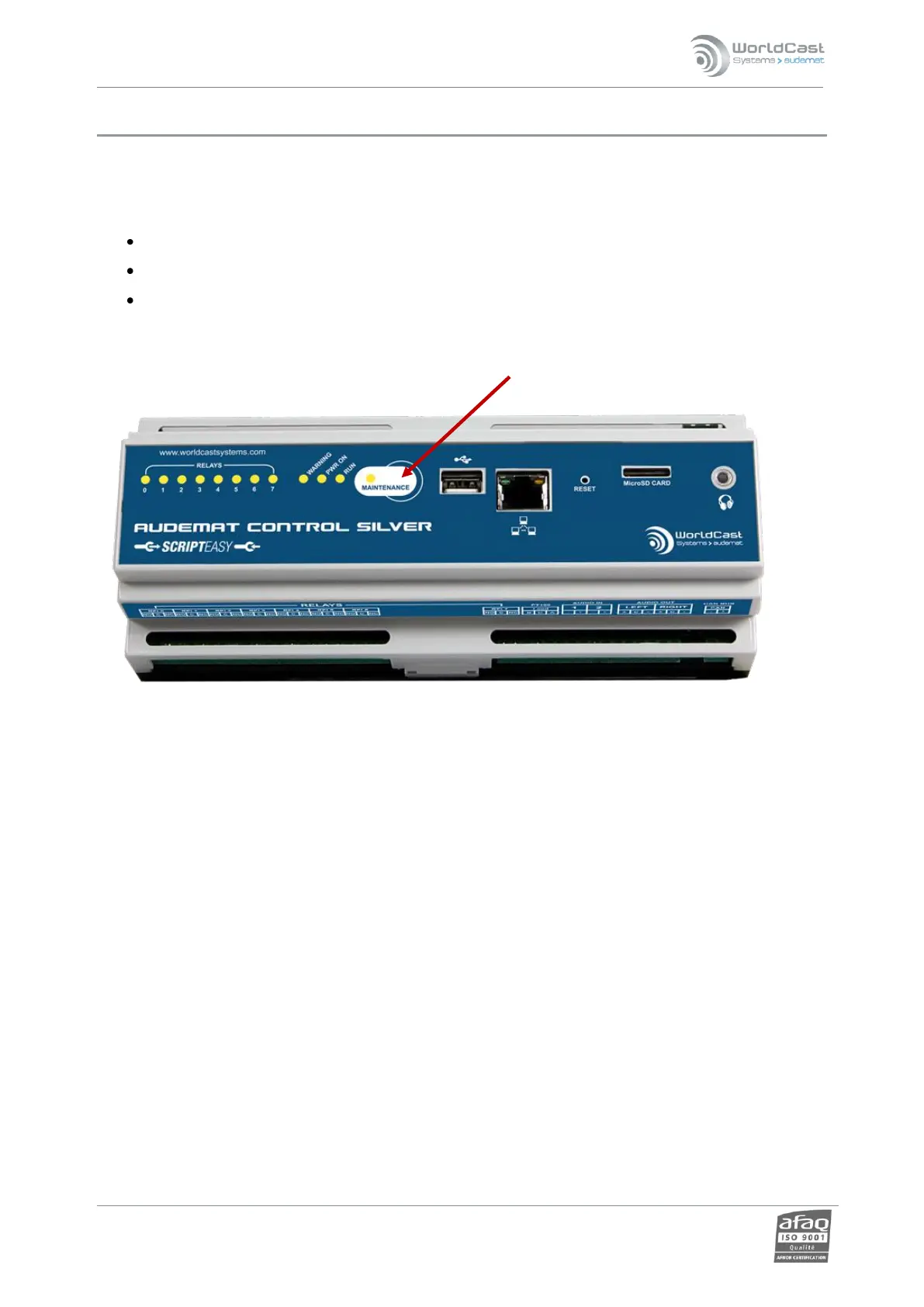
To reset the Audemat Control Silver, press the ‘maintenance’ button for 10 seconds:
! DO NOT TURN OFF THE AUDEMAT CONTROL SILVER BEFORE THE RESET PROCESS IS COMPLETED; IT MAY
BLOCK THE UNIT.



 To Next Page