EVOM™ Manual
World Precision Instruments 27
Preparing Storage Location
Prepare the storage location you selected above, either USB or PC using the
appropriate method:
• If you selected
USB Save
, you need to insert the USB ash drive into the USB port
on the side of the EVOM™ Manual. See "Storing Data on the USB Flash Drive" on
page 17.
• If you selected
APP Save
, you need to make sure the EVOM™ Manual is properly
connected to the computer using the USB cable included and verify that the
Companion Application is running. See "Storing Data on a Connected PC" on page
19.
Conguring Plate Settings
Before taking measurements, you need to establish the settings for your plate,
including the number of wells, the mode (resistance or voltage) and the mode units,
and prepare the electrodes. Select either the Resistance Conguration Procedure or
the Voltage Conguration Procedure below.
Resistance Conguration Procedure
If you want to take resistance measurements, congure your plate as follows:
1. Press the
Setup
button on the main screen to congure your plate settings.
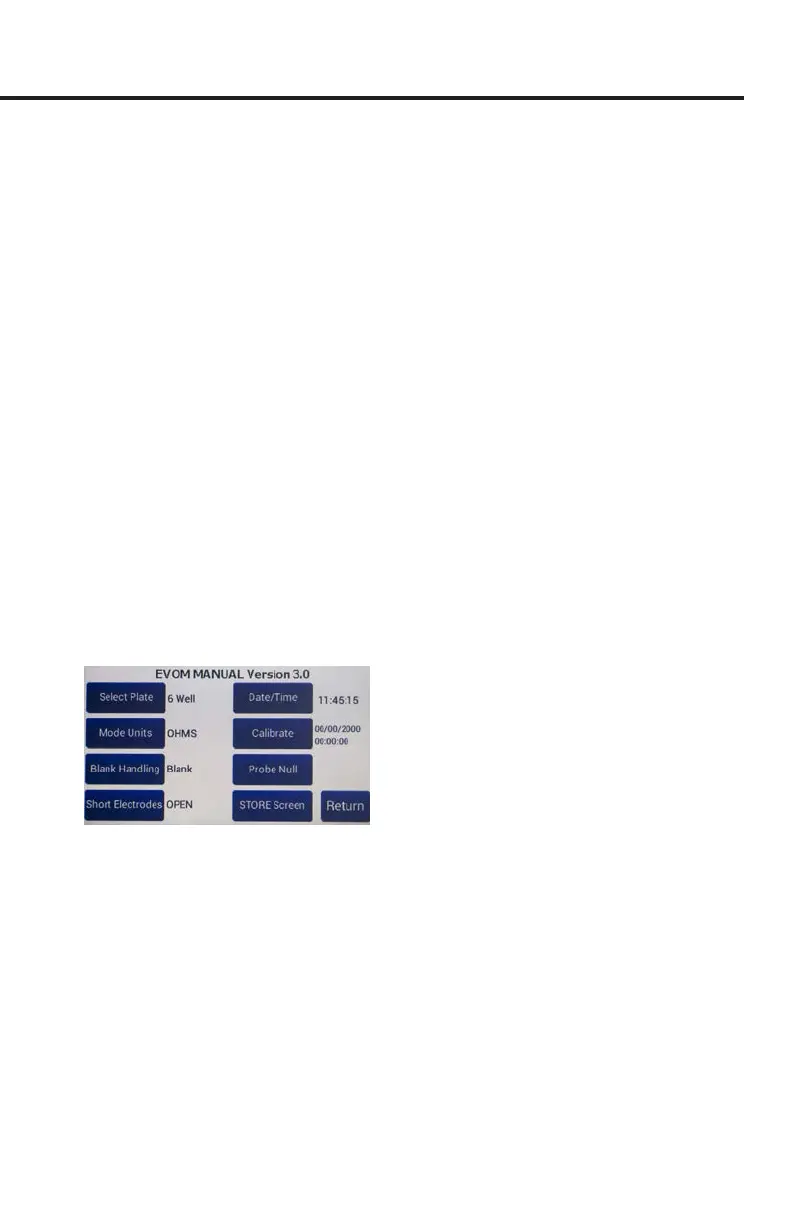
Fig. 46—Press Setup to access the Setup screen.
2. Press the
Select Plate
button to choose the plate size. See "Plate Selection Page
and Plate Preview" on page 12.
3. Press the
Mode Units
button and choose either OHMS or KOHMS for making
resistance measurements (Fig. 47).
4. Select the resistance range (Auto, 100KΩ, 50KΩ or 10KΩ) and press the
Return
button (Fig. 47).



 To Next Page