28 World Precision Instruments
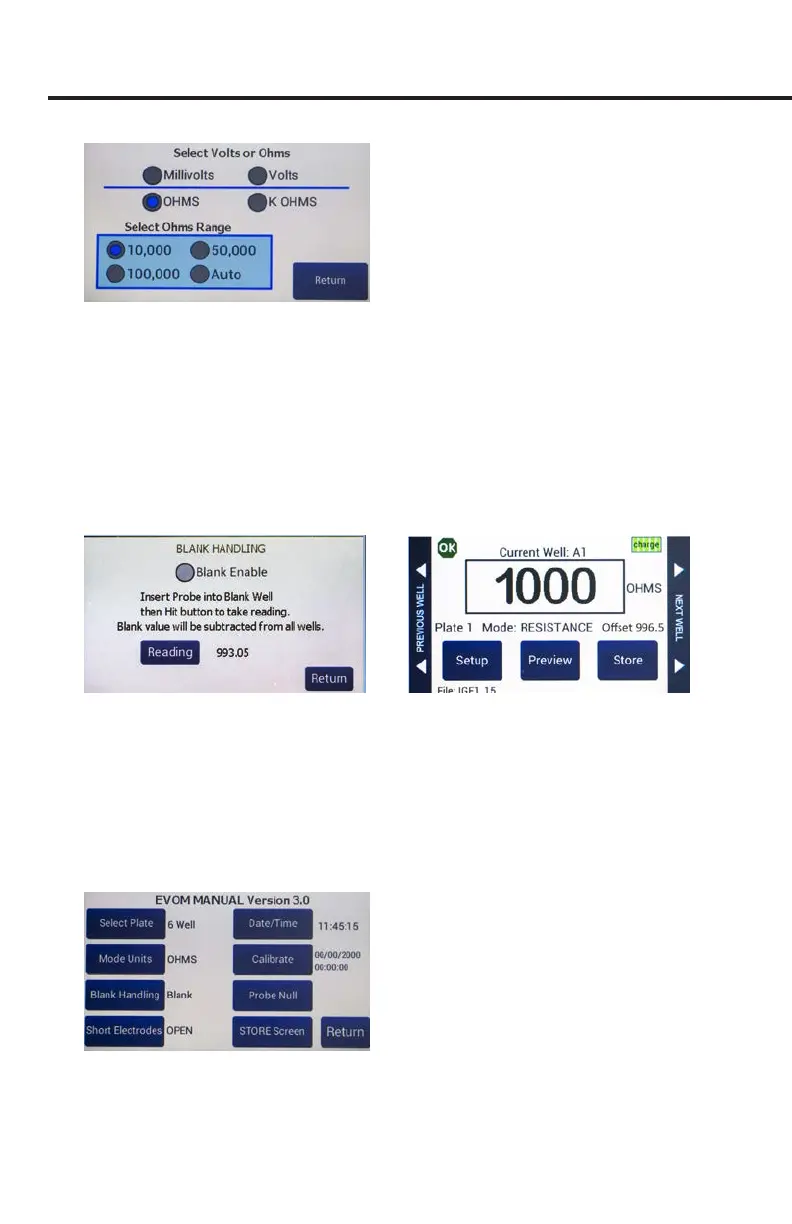
Fig. 47—Select the mode. For resistance measurements, choose OHMS or K OHMS. Then
select the range.
5.
Press the
Calibrate
button to calibrate the electrode. (This uses a 10 KΩ 0.1%
resistor). See "Instrument Diagnostics and Calibration" on page 25.
6.
To subtract a blank well (including the uid and electrode resistances) press the
Blank Handling
button. Then, place the electrode in a blank well and press the
Reading
button. Press the
Blank Enable
radio button to subtract the blank value.
Press the
Return
button (Fig. 48).
Fig. 48—(Left) Blank Handling window.
Fig. 49—(Right) The main screen shows the oset underneath the reading.
7. Press
Return
to navigate back to the main screen (Fig. 49).
Voltage Conguration Procedure
If you want to take voltage measurements, congure your plate as follows:
1. Press the
Setup
button to congure your plate settings.
Fig. 50—(Left) Press Setup to access the Setup screen.
2. Press the
Select Plate
button to choose the plate size. See "Plate Selection Page
and Plate Preview" on page 12.



 To Next Page