Paper and Media
Phaser 6700 Color Printer 47
User Guide
Note: When printing paper other than envelopes, push down the finisher lever.
5. Pull out the tray until it stops.
6. Remove any paper that is a different size.
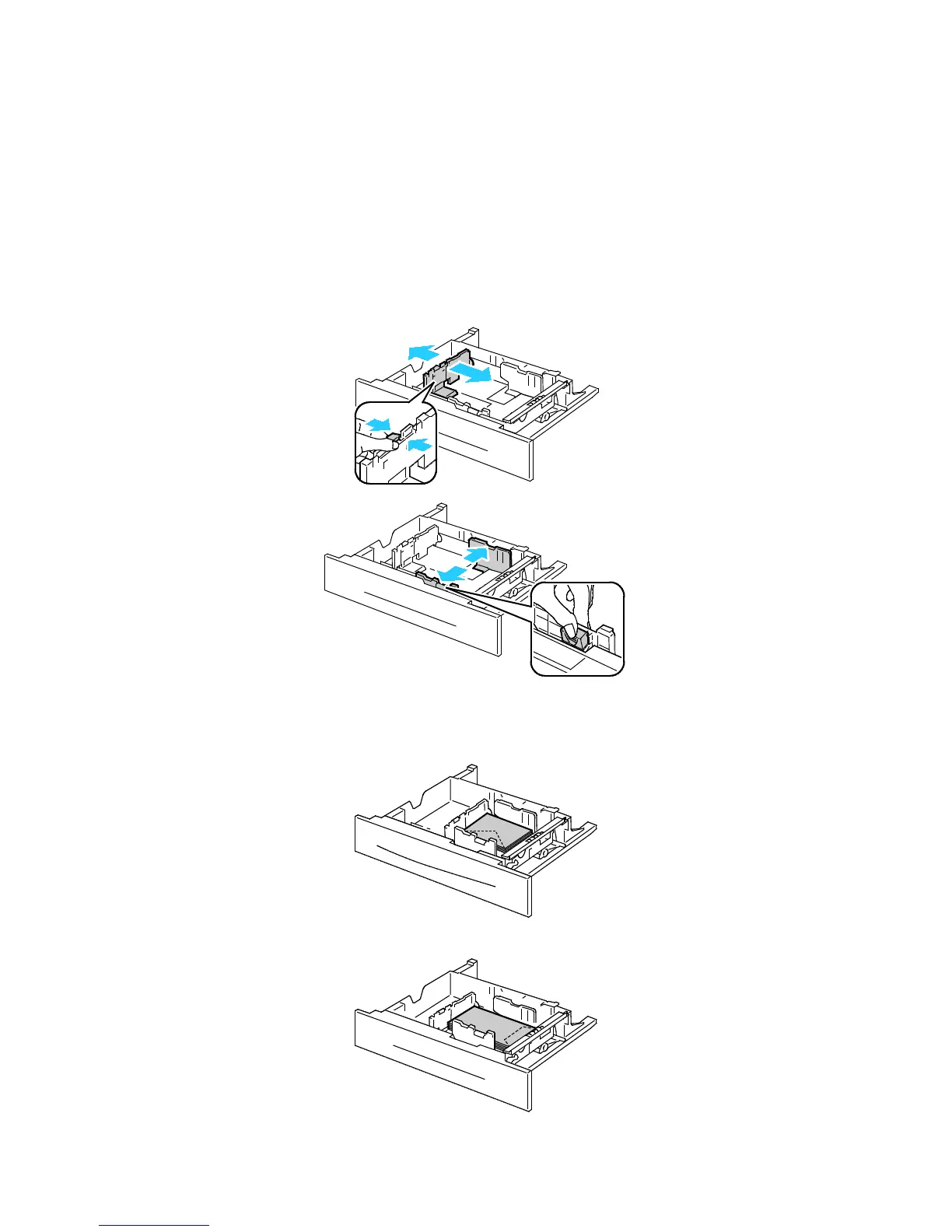
7. Move the length and width guides out:
a. Pinch the guide lever on each guide.
b. Slide the guides outward until they stop.
c. Release the levers.
8. Load the envelopes in the tray:
• Load No. 10, Monarch, or DL envelopes with the flaps closed, flaps down, and flaps toward
the front.
• Load C5 envelopes with the flaps closed, flaps down, and flaps toward the right.















 To Next Page