Maintenance
74 Phaser 6700 Color Printer
User Guide
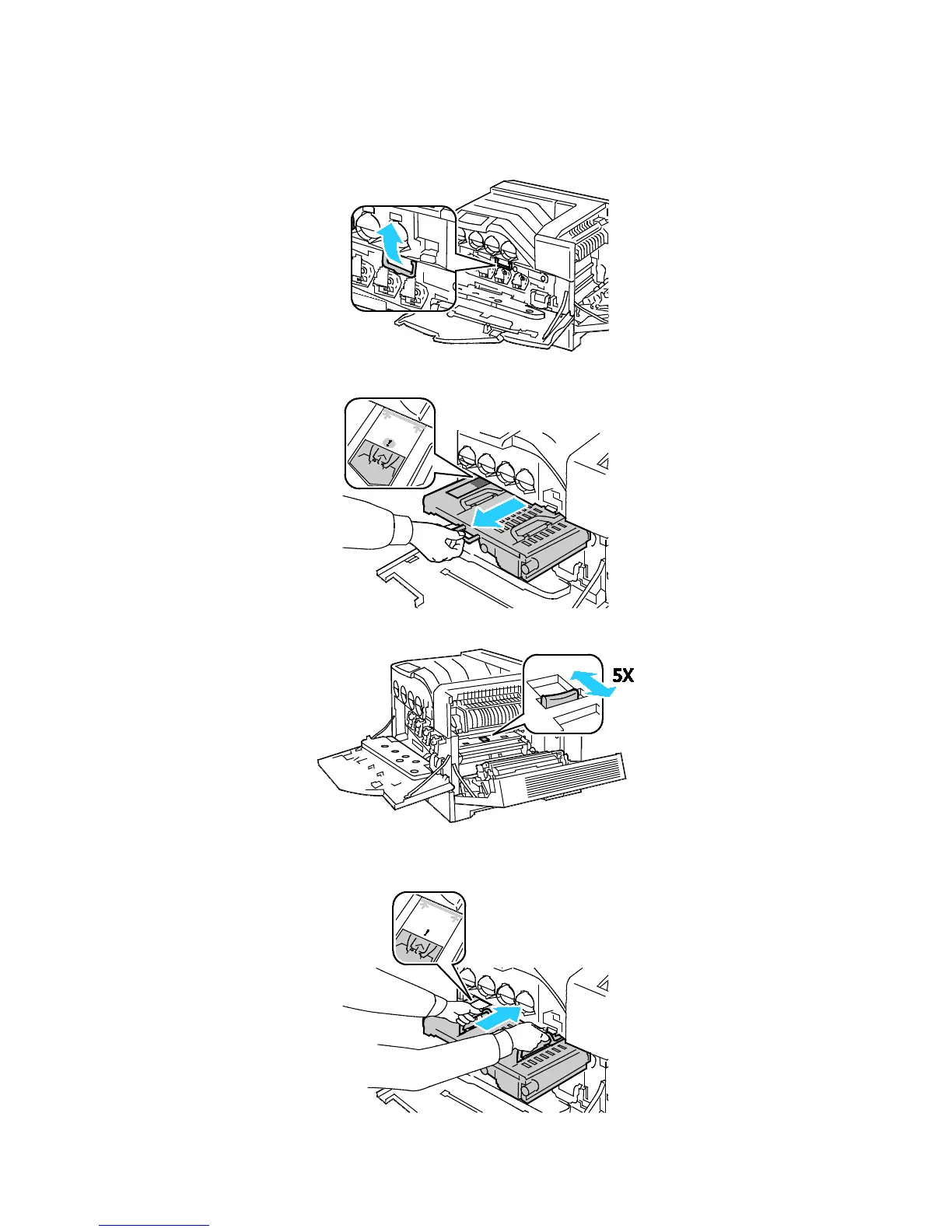
6. Slide the transfer belt out of the way:
a. Grasp the handle on the front of the transfer belt.
b. Pull out the transfer belt until the line on the belt becomes visible.
7. Slide the gold-colored tab back and forth five times.
8. Reinstall the transfer belt:
a. Slide the transfer belt into the printer, stopping when the visible line reaches the printer.















 To Next Page