Maintenance
Phaser 6700 Color Printer 77
User Guide
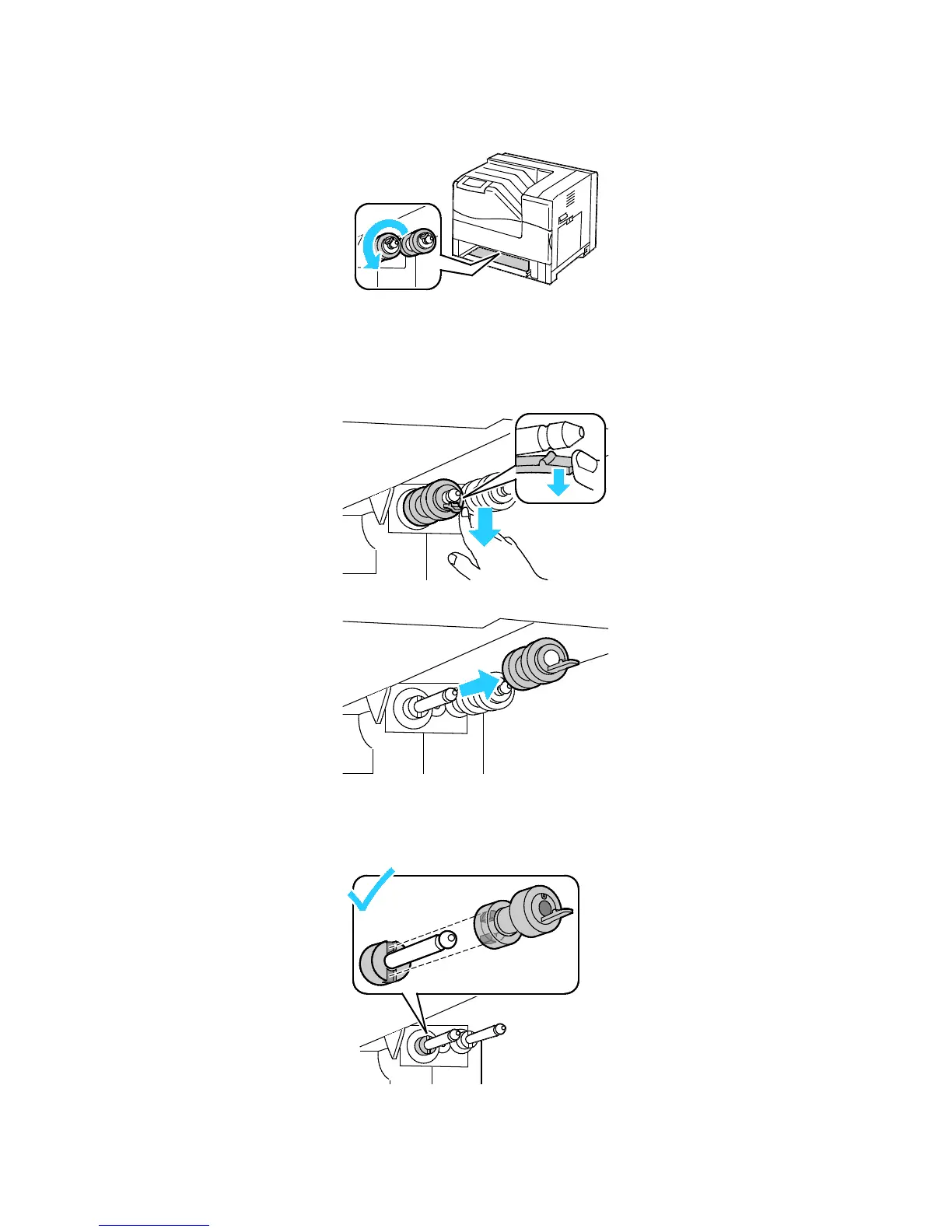
2. Turn the feed roller until the roller hook is visible.
Note: The rollers are located approximately 165 mm (6.5 in.) inside the printer, measuring from the
tray opening.
3. Pull the feed roller hook out of the groove on the axle, then slide the feed roller to the front.
4. Remove the second feed roller using a similar method.
5. Wipe the rollers with a clean, lint free cloth moistened with water.
6. Align the hole of the first feed roller with the axle.















 To Next Page