Maintenance
Phaser 6700 Color Printer 83
User Guide
CAUTION: To protect the imaging units against bright light, close the imaging unit door within five
minutes. Longer exposure can deteriorate print quality.
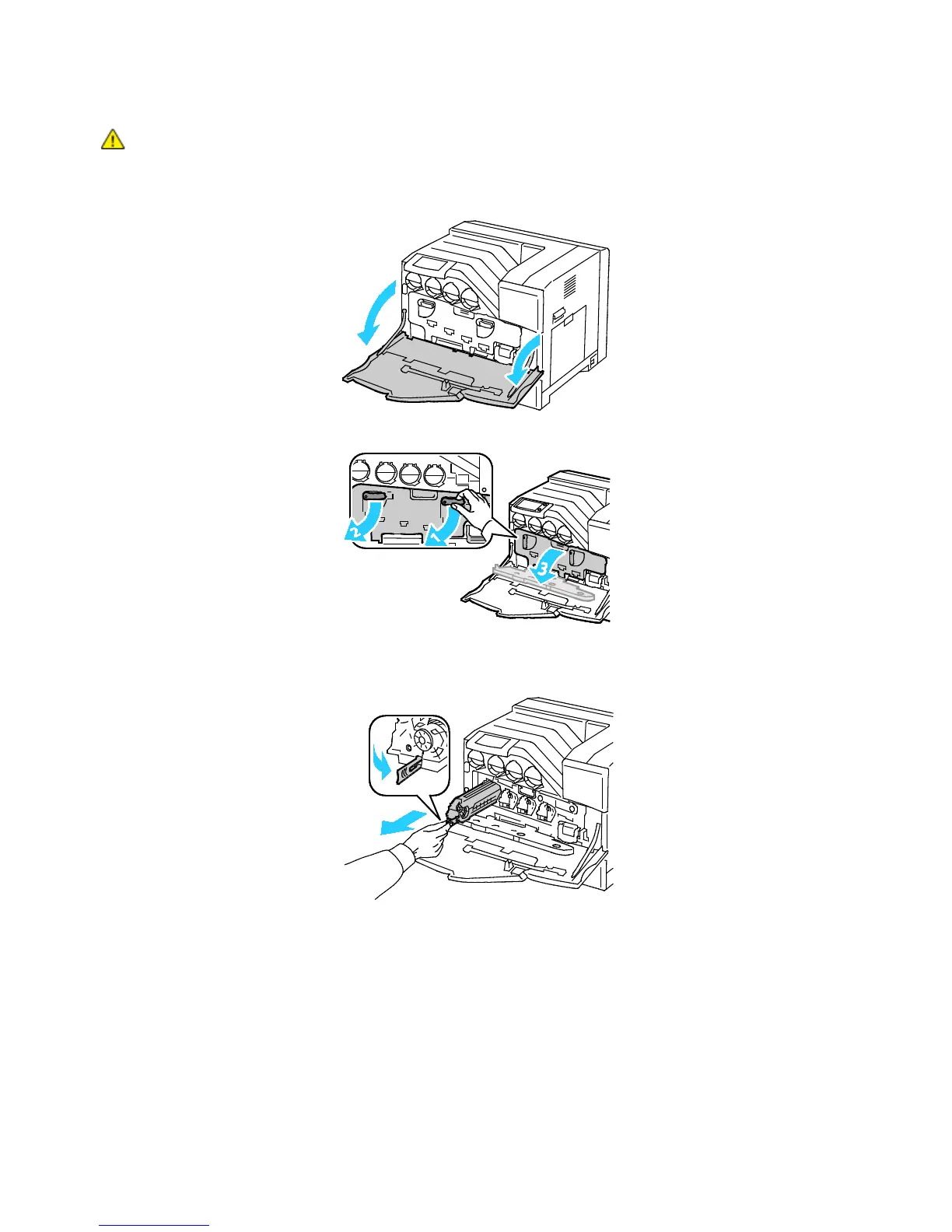
1. Open the front door of the printer.
2. Rotate the two lock levers to release the imaging unit door, then pull it open.
3. Remove the imaging unit you are replacing:
a. Grasp the handle of the imaging unit, then pull it out halfway.















 To Next Page