Maintenance
84 Phaser 6700 Color Printer
User Guide
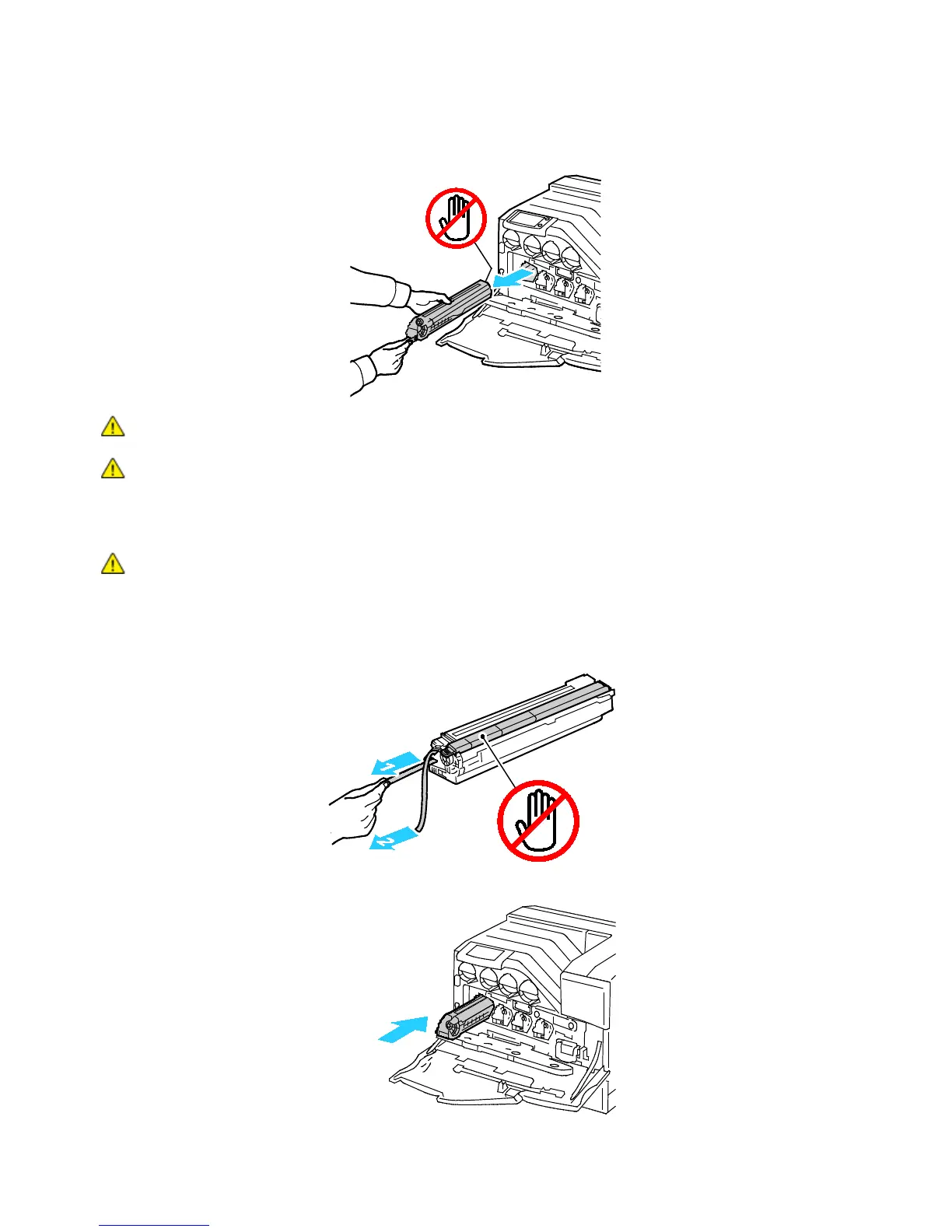
b. Grasp one side of the imaging unit with the other hand and pull the imaging unit straight out of
the printer.
CAUTION: Do not touch the parts shown in the illustration.
CAUTION: Be careful not to spill toner when handling the imaging unit.
4. Install the new imaging unit:
a. Unpack a new imaging unit.
CAUTION: To protect the imaging unit against overexposure to bright light, do not remove the
orange protective covering until after inserting the cartridge into the printer.
b. Pull the two ribbons out of the new imaging unit and discard them.
c. Carefully slide the imaging unit into the correct slot.















 To Next Page