Maintenance
94 Phaser 6700 Color Printer
User Guide
f. Install the second feed roller using a similar method.
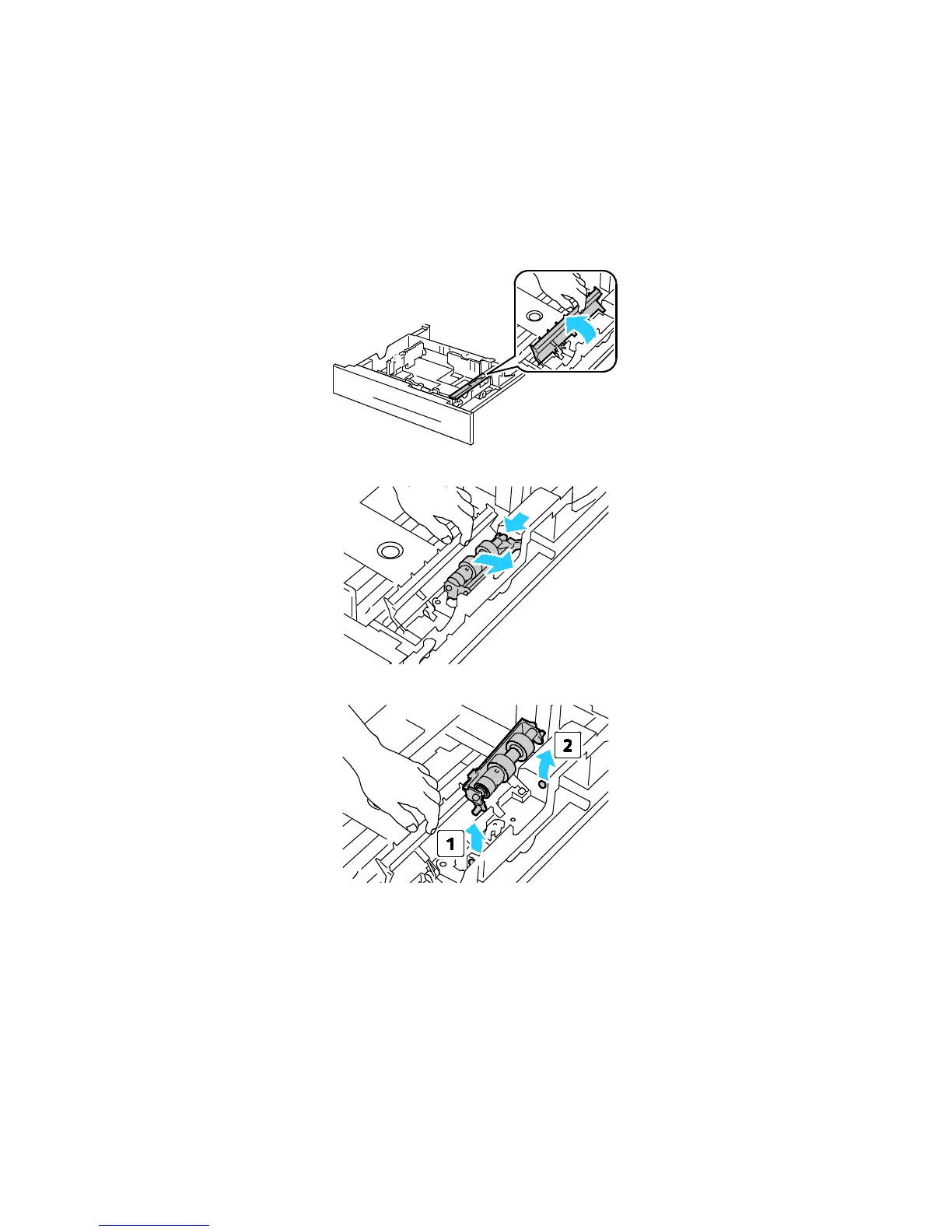
4. Replace the feed roller cartridge in the tray:
Note: The procedure is the same for replacing the feed roller cartridge in any of the standard and
optional trays.
a. Move the feed roller cover to the left to open it, and hold the cover open.
b. Turn the feed roller cartridge to the right.
c. Pull out the rear axle, then the front axle, and remove the feed roller cartridge.


 To Next Page
 Loading...










