Maintenance
Phaser 6700 Color Printer 95
User Guide
d. Unpack the new feed roller cartridge.
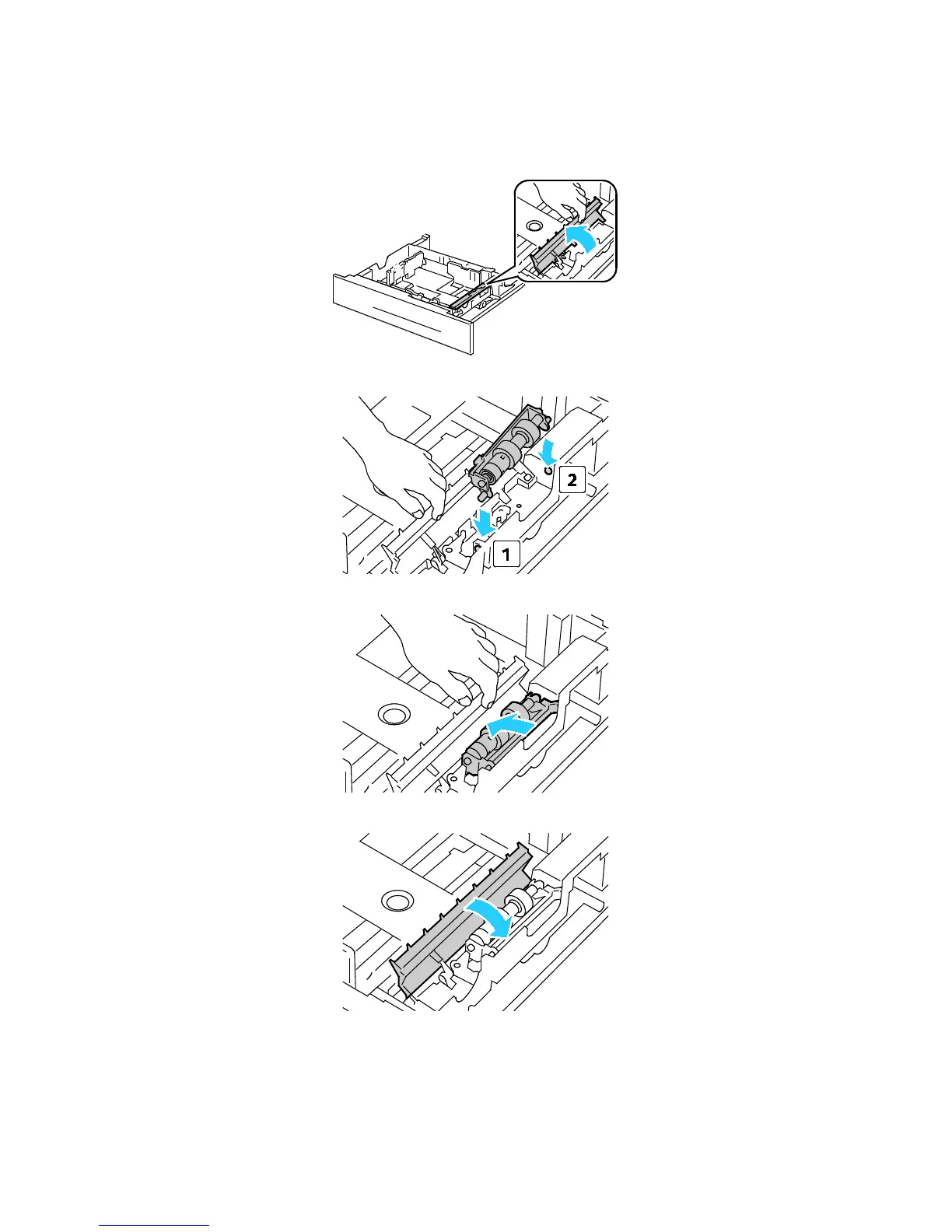
e. Move the feed roller cover to the left to open it, and hold the cover open.
f. Slide the front axle, then the rear axle of the feed roller cartridge into the holes in the tray.
g. Turn the feed roller cartridge to the left to lock it in place.
h. Move the feed roller cover to the right to close it.


 To Next Page
 Loading...











