Maintenance
Phaser 6700 Color Printer 97
User Guide
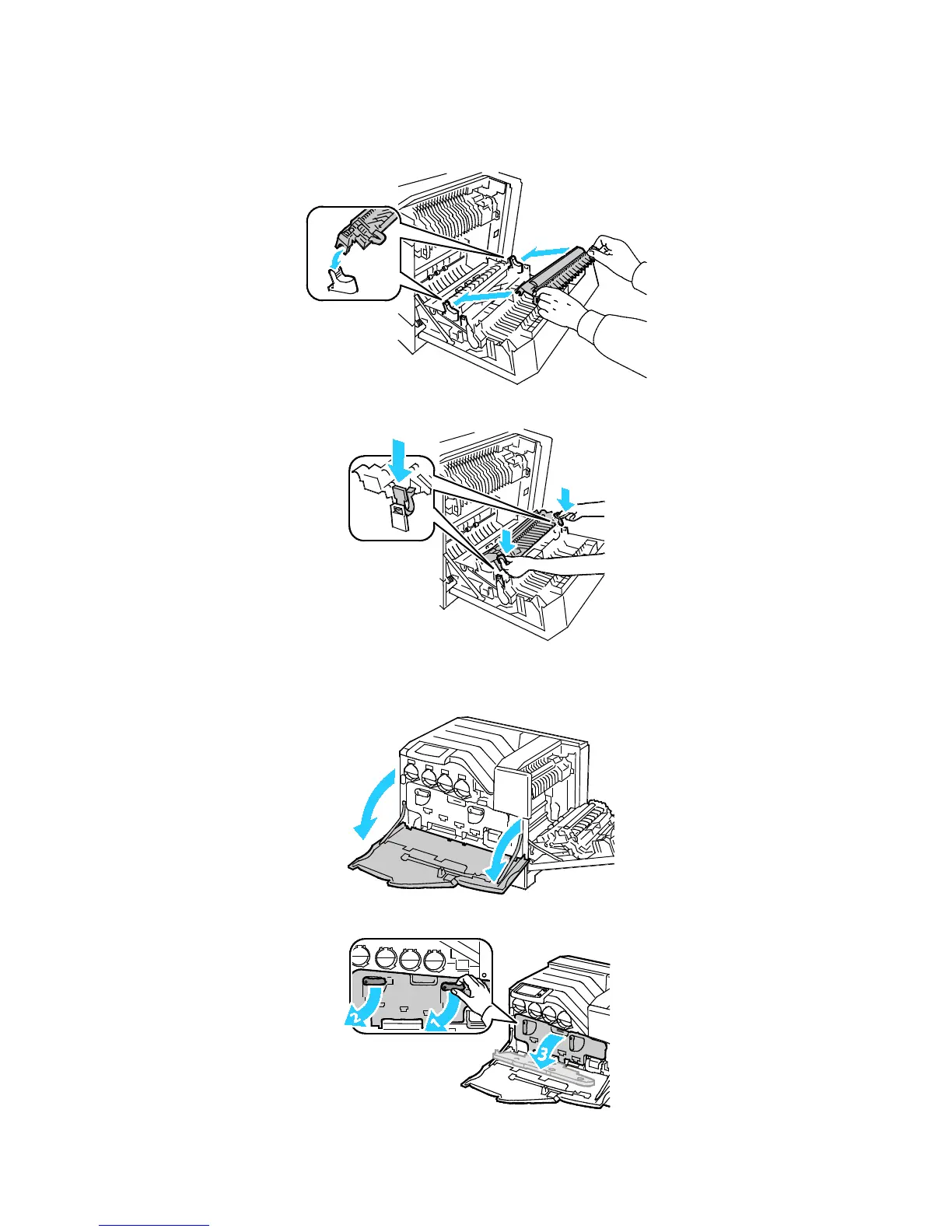
c. Grasp the levers on both sides of the new transfer roller and align the arrows on the roller with
the arrows inside the printer.
d. Lower the front of the transfer roller until it clicks into place.
7. Remove the transfer belt:
a. Open the front door of the printer.
b. Rotate the two lock levers to release the imaging unit door, then pull it open.


 To Next Page
 Loading...











