Maintenance
98 Phaser 6700 Color Printer
User Guide
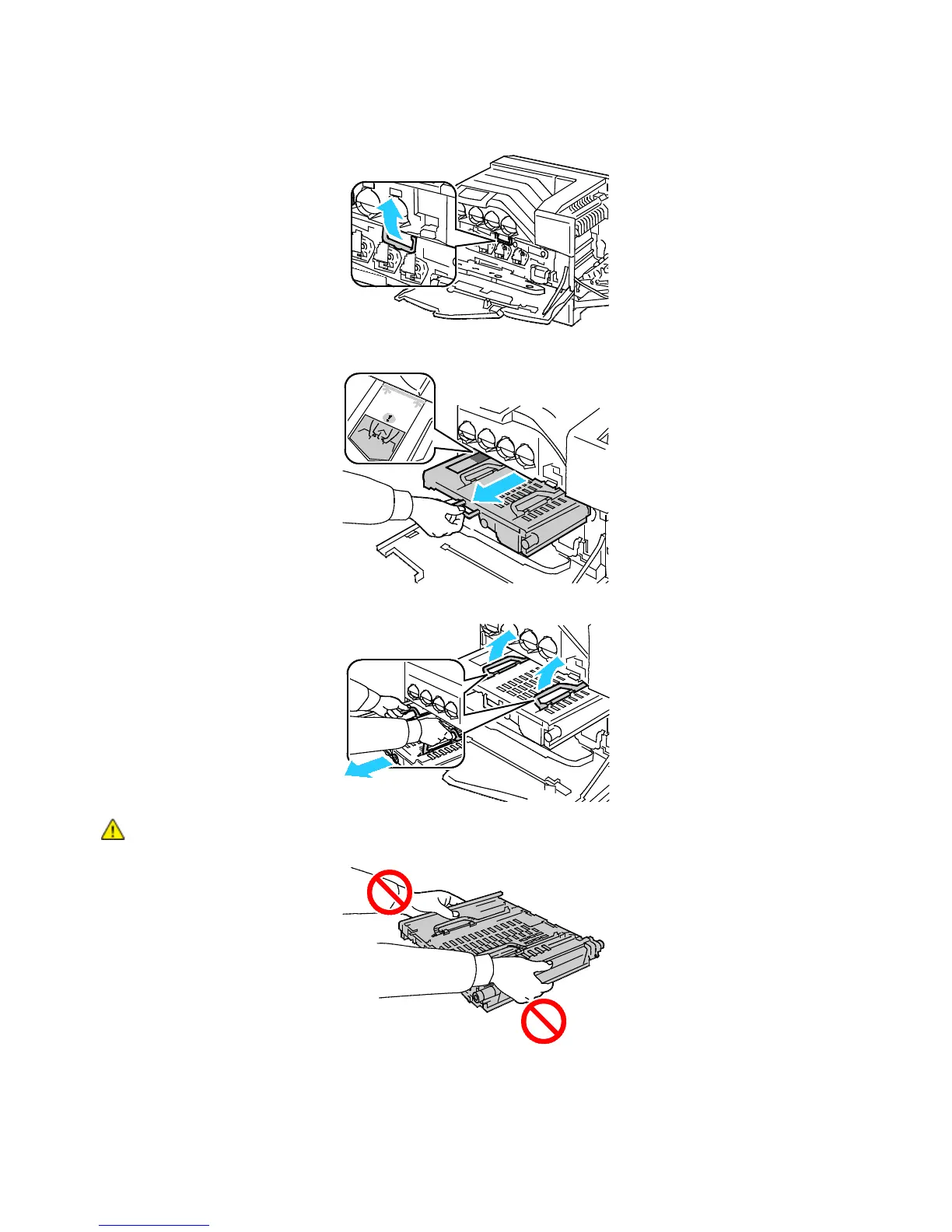
c. Grasp the handle on the front of the transfer belt.
d. Pull out the transfer belt until the line on the belt becomes visible.
e. Grasp the handles on the top of the transfer belt, then pull to remove it from the printer.
CAUTION: Do not hold the parts as shown in the illustration. Doing so can degrade print quality.


 To Next Page
 Loading...











