iX104C
4
User’s Handbook 19
1 Getting Started
This chapter gives you an overview of your tablet and includes a
quick-start guide to tablet keys.
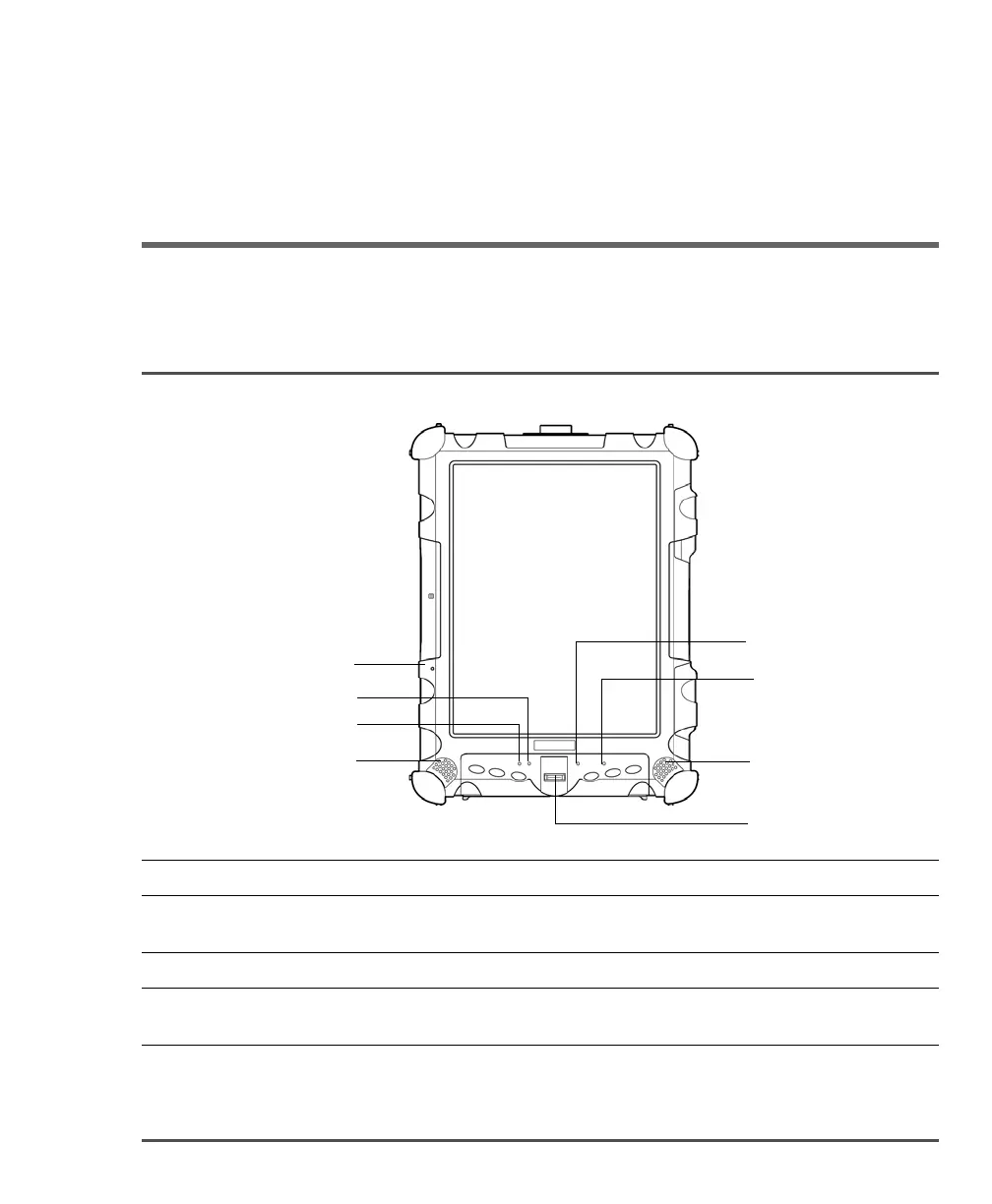
Front view
Built-in
microphone
Speaker
Speaker
Auto Light sensor
Reset switch
Status indicator
HDD indicator
Fingerprint scanner
Built-in microphone Enables you to input mono audio with noise cancellation. (See page 50.)
Reset switch Enables you to turn off the computer when using the Power (On/Off)/Backlight
(On/Off)/Resume key is not effective. (See page 32.)
Status indicator Indicates the computer status (on, off, etc.). (See page 26.)
Speakers Enable you to listen to stereo audio files. Sealed to provide protection from the
environment.



 To Next Page