Chapter 2. Using the Tablet
Adjusting the screen brightness
iX104C
4
User’s Handbook 45
Adjusting the screen brightness
Windows XP
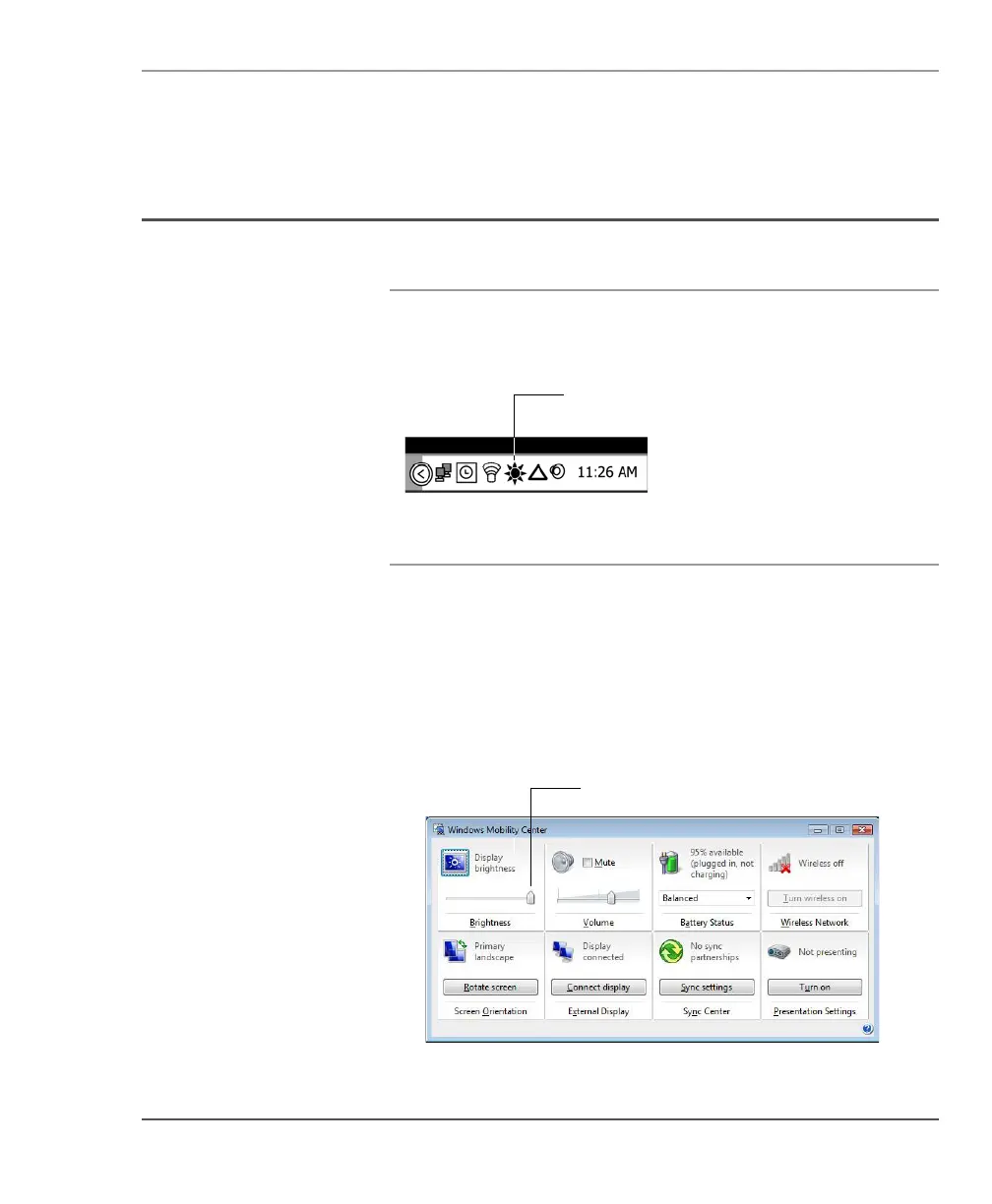
To adjust the screen brightness, click the brightness control icon on
the Windows taskbar; then use the slider bar to make the adjustment.
Windows Vista
To adjust the screen brightness:
1. Click Start.
2. Open the Control Panel.
3. Double-click the Windows Mobility Center icon.
4. Use the Display brightness slider to adjust the brightness.
Display brightness slider



 To Next Page