Chapter 2. Using the Tablet
Using the battery
iX104C
4
User’s Handbook 57
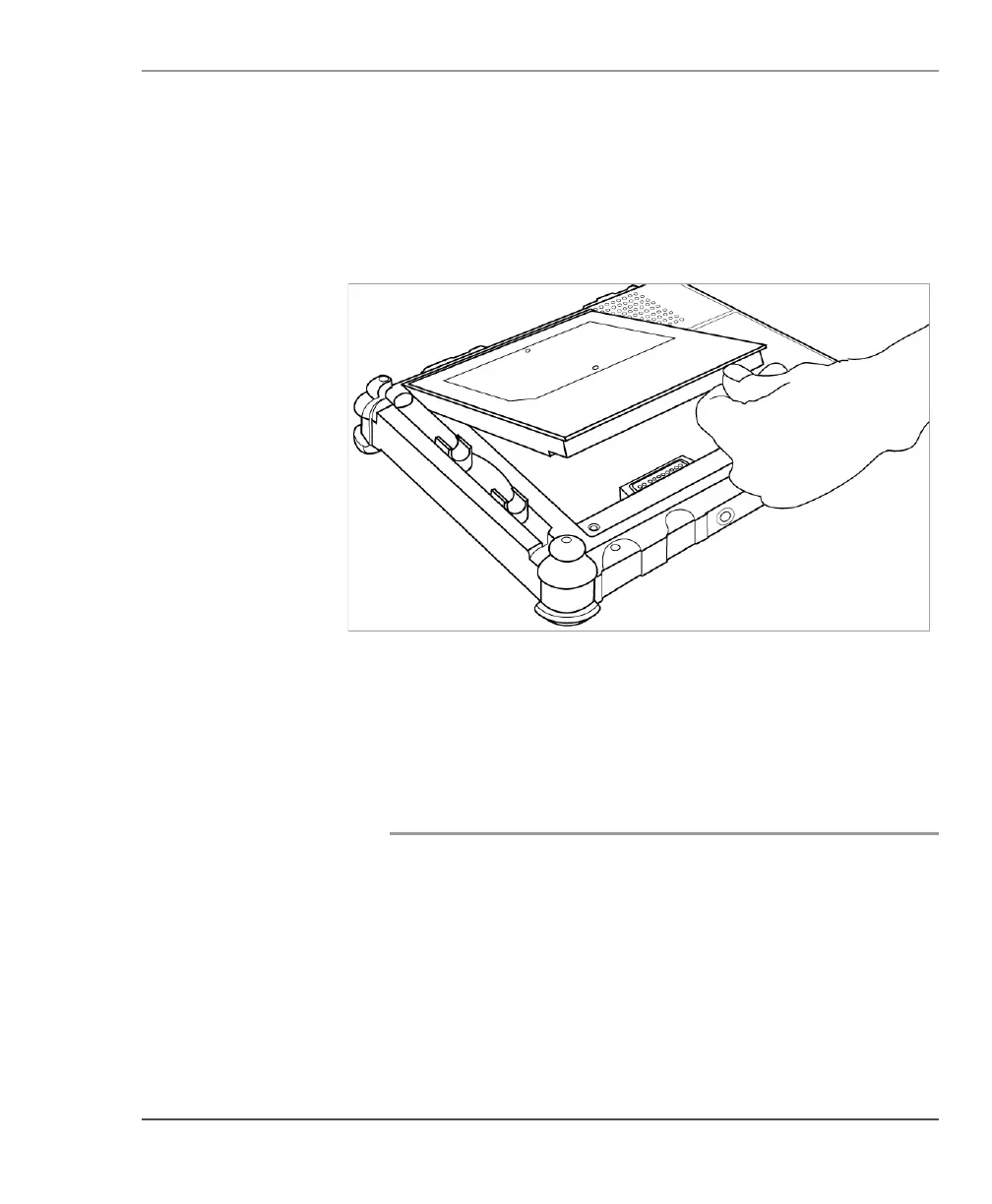
Installing the battery
1. Orient the battery with the slides in the empty battery tray.
2. Slide the battery into the tray and press it firmly until it is seated.
3. Slide the battery release latch to its original position.
The lock button pops back into the locked position, securing the
battery in place.
Discarding batteries
Dispose of batteries in accordance with your local government
regulations. Under federal, state, or local law, it may be illegal to put
batteries in the trash. Contact your system administrator, municipal
waste disposal department/provider for information.



 To Next Page