Chapter 2. Using the Tablet
Programming hot keys
iX104C
4
User’s Handbook 71
Programming hot keys to start applications, open
documents, or go to a Web site
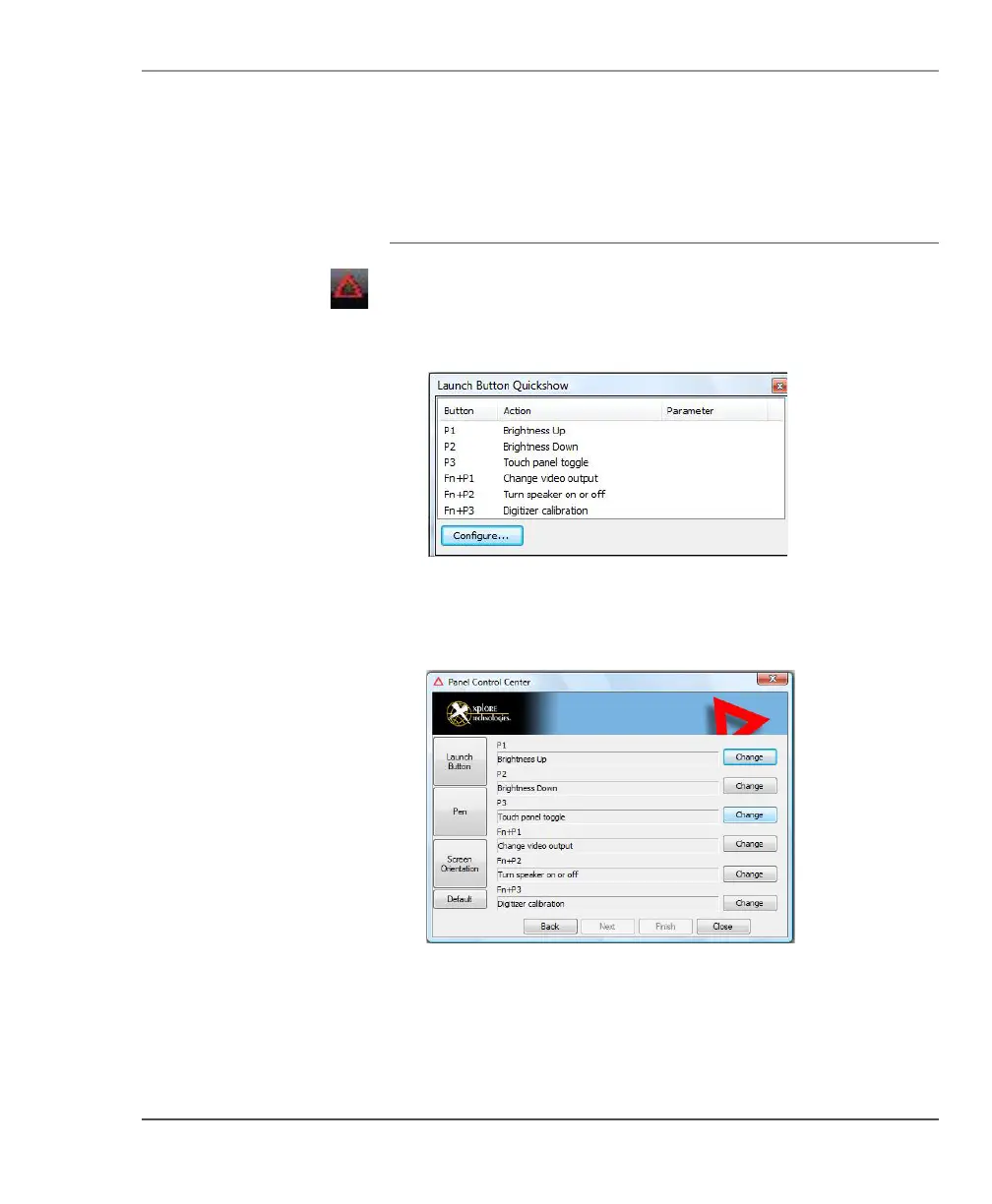
1. In the Status area of the Windows taskbar, click the iX104C
4
Configuration
icon.
The Launch Button QuickShow dialog box opens.
2. Click the Configure button.
The Panel Control Center window opens.



 To Next Page