Chapter 3. Maintaining the Tablet
Calibrating the digitizer
iX104C
4
User’s Handbook 93
Calibrating the digitizer: iX104C
4
Dual Mode –
Windows Vista
Follow these instructions if your computer is running Windows Vista.
In Active mode, you can use only the stylus included with the
computer as the pointing device.
In Touch mode, you can use the stylus, a similar pointing device, or
your finger.
Follow the instructions in the sections below to calibrate the digitizer
for each mode.
Calibrating the digitizer: Active mode
1.
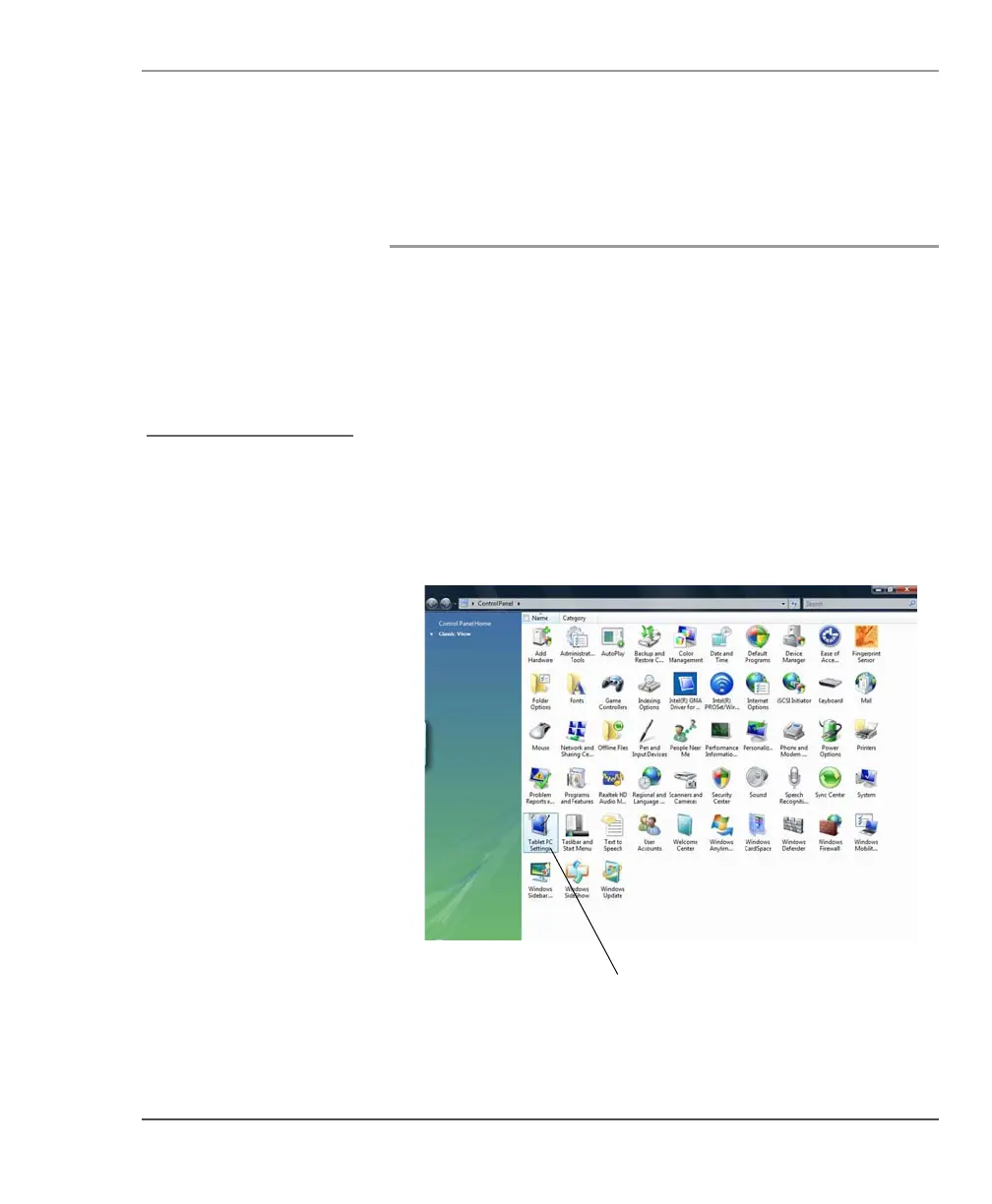
From the Start menu, select Control Panel.
The Control Panel opens.
2. Double-click the Tablet PC Settings icon.
See “Selecting Auto-Sense,
Active, or Touch mode” on
page 38.



 To Next Page