Chapter 2. Using the Tablet
Accessing the PCMCIA compartment
68 iX104C
4
User’s Handbook
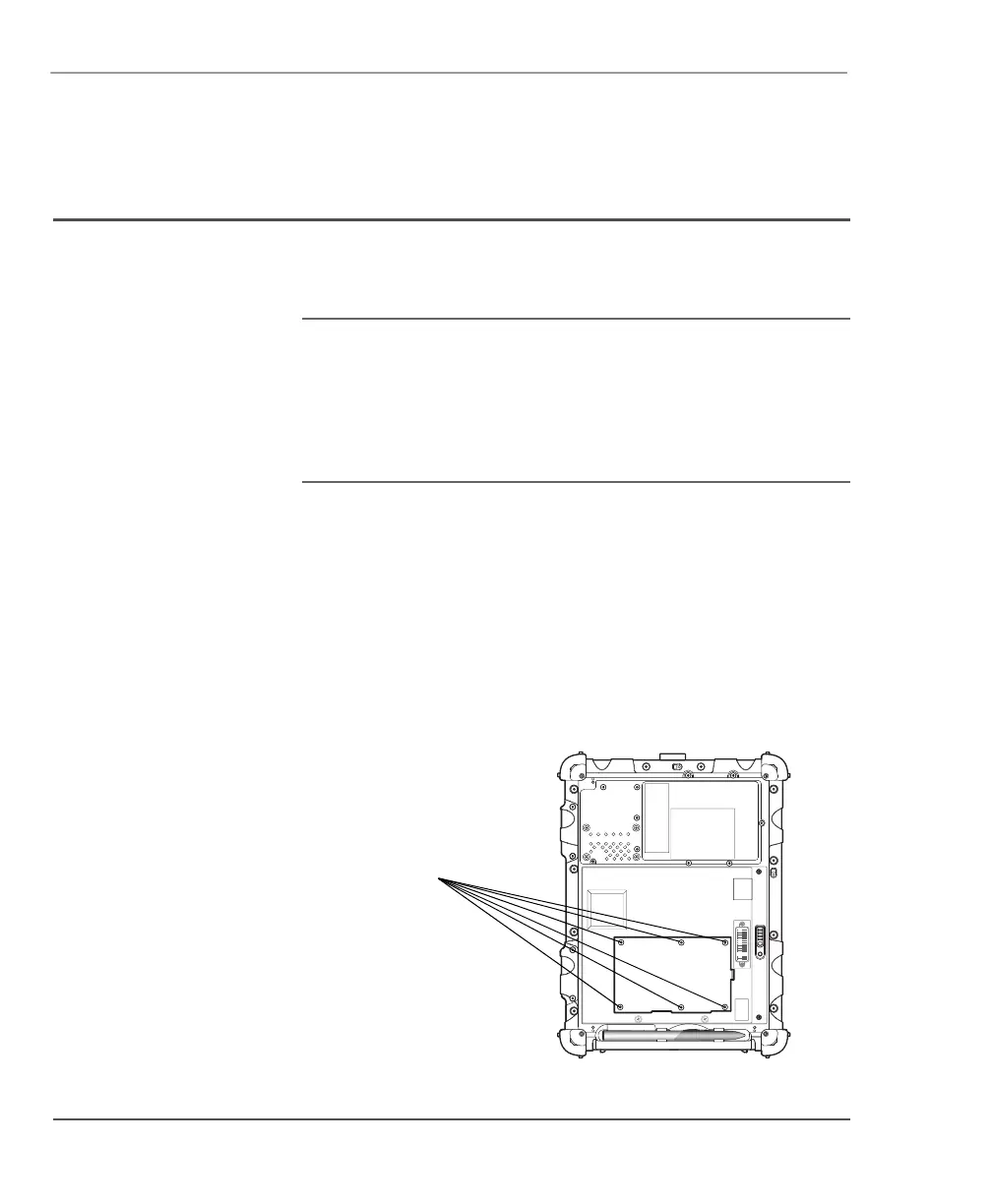
Accessing the PCMCIA compartment
When you install a PCMCIA card, follow the instructions in this
section to access the PCMCIA compartment.
WARNING Failure to follow this procedure can result in
damage to the case and the cover, which is not
covered under the Xplore Technologies warranty.
Xplore recommends that you use an
approved Xplore Technologies service center
for this procedure.
1. Turn off the computer.
2. Remove all power from the unit, including batteries and other
power sources such as power supplies, cigarette lighter adapters,
and mobile power sources.
3. Remove the battery. (See “Removing and installing the battery”
on page 55.)
4. Use an M1 Phillips screwdriver to remove the 6 screws from the
compartment cover. (Do not use a power screwdriver.)



 To Next Page