Chapter 1. Getting Started
Getting to know your tablet
20 iX104C
3
User’s Handbook
Bluetooth antenna – Optional Bluetooth antenna or 56K modem.
Kensington
™
lock slot – Connector for the optional Kensington
MicroSaver
™
-compatible security cable.
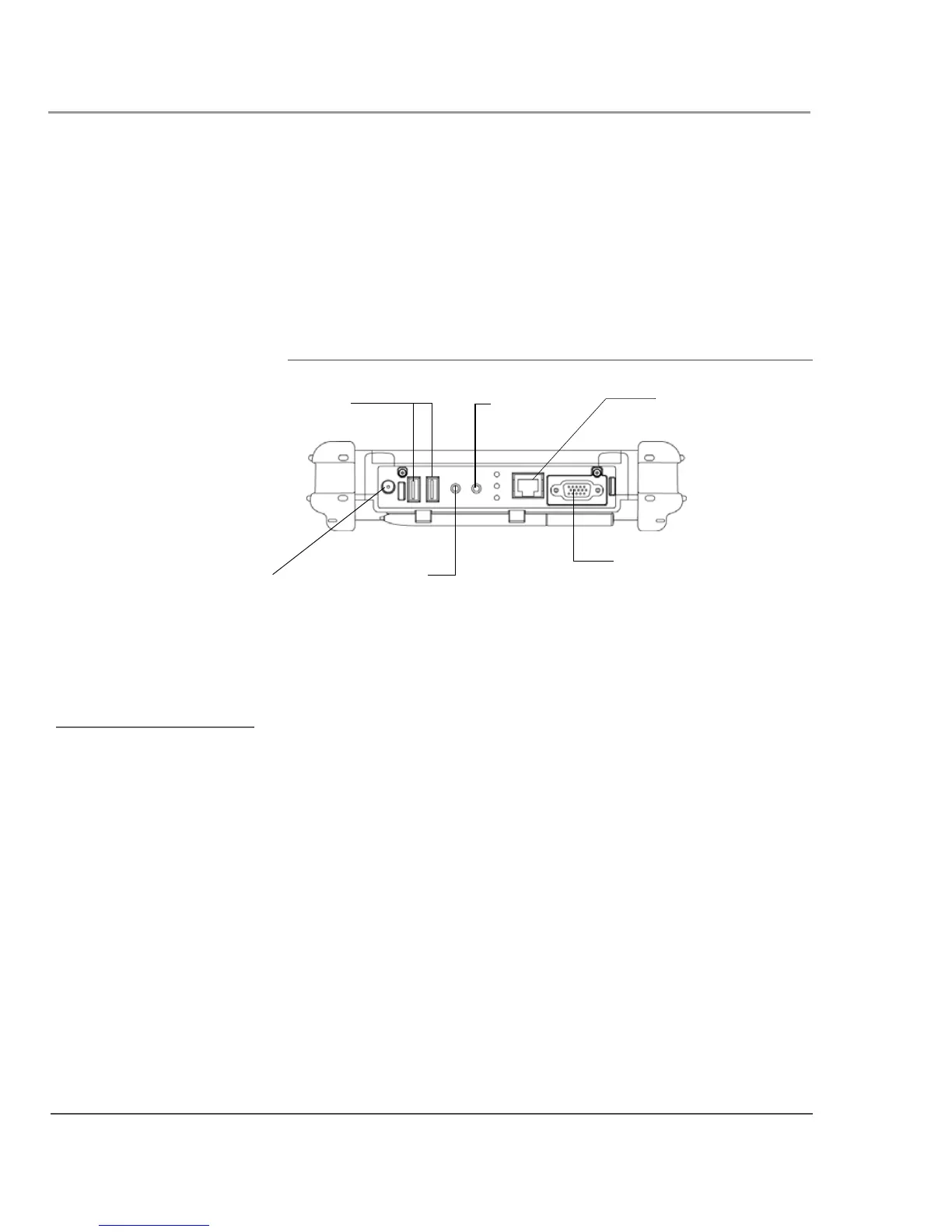
Bottom view
The connectors on the bottom of the computer are located behind the
outer doors.
Power connector – For the optional AC adapter or auto adapter. (See
“Optional accessories” on page 13.)
USB 2.0 ports – For Universal Serial Bus devices (compliant with
USB Standard Revision 2.0).
Headphone connector – For stereo headphones or speakers.
Microphone connector – For an external microphone.
LAN connector – For connecting a standard RJ-45 connector to the
tablet’s internal local area network (LAN) card
External monitor connector – For an external monitor or projection
panel.
microphone
connector
power
connector
external monitor
connector
LAN connector
USB ports
headphone
connector
The optional Office and
Vehicle Docks include
additional USB ports. See
“Optional accessories” on
page 13.



 To Next Page