Chapter 3. Maintaining the iX104C3
Calibrating the digitizer
72 iX104C
3
User’s Handbook
2. Click the Tablet and Pen Settings icon.
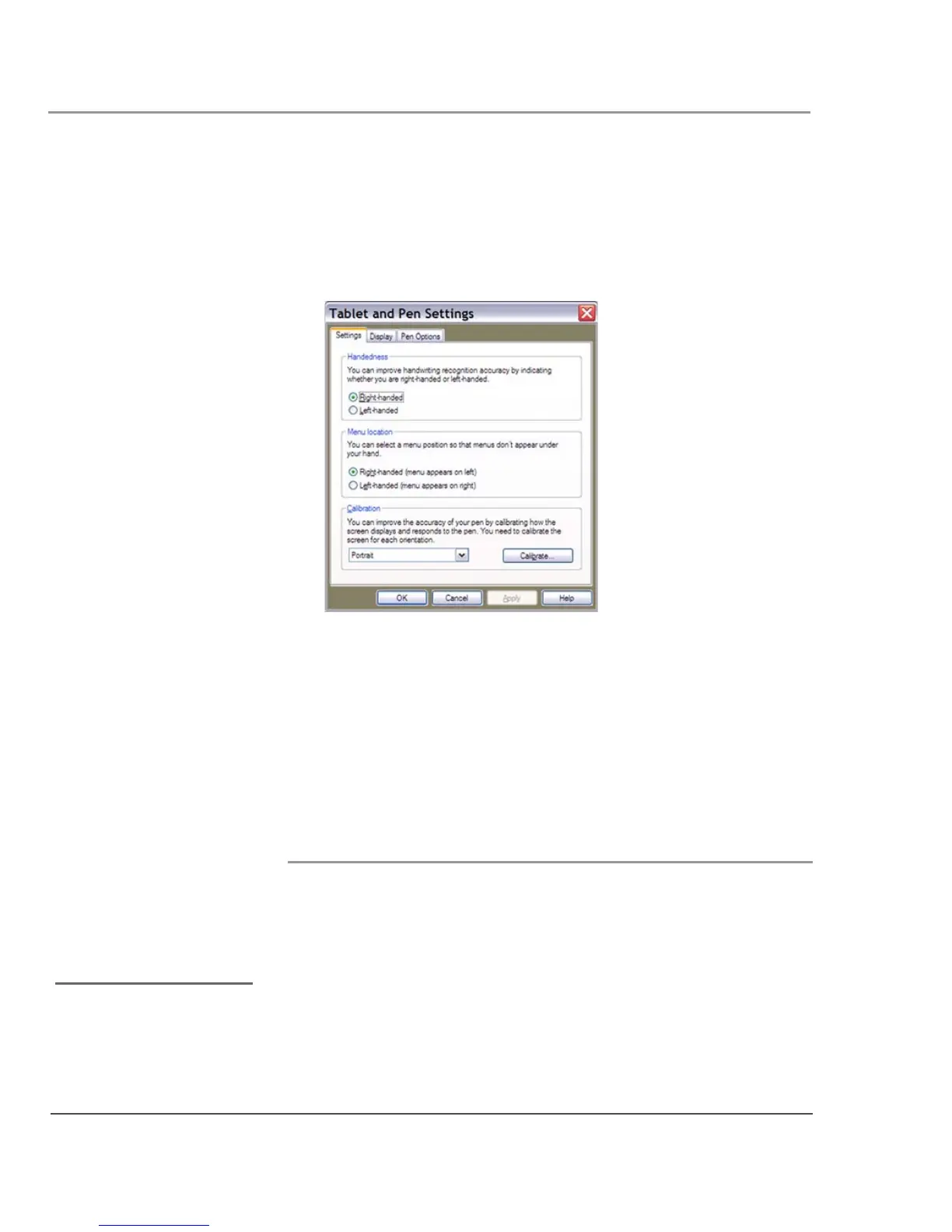
The Tablet and Pen Settings window opens.
3. In the Calibration area drop-down list, select the mode for which
you want to calibrate the pen:
Landscape or Portrait; then click
Calibrate.
The Calibration program starts.
4. Follow the instructions that appear on the screen.
5. When you finish, click OK.
Calibrating the digitizer: iX104C
3
Dual Mode
In Active mode, you can use only the stylus included with the
computer as the pointing device.
In Touch mode, you can use the stylus, a similar pointing device, or
your finger.
Follow the instructions in the sections below to calibrate the digitizer
for each mode.
See “Selecting Auto-Sense,
Active, or Touch mode” on
page 33.



 To Next Page