Device Mode
___________________________________________________________________________________________________________________________
By default, X5 will automatically enter "Device Mode" every time it is powered
on. In this mode, besides viewing all relevant ride information on the screen,
you can also swipe the screen to configure your personal display information.
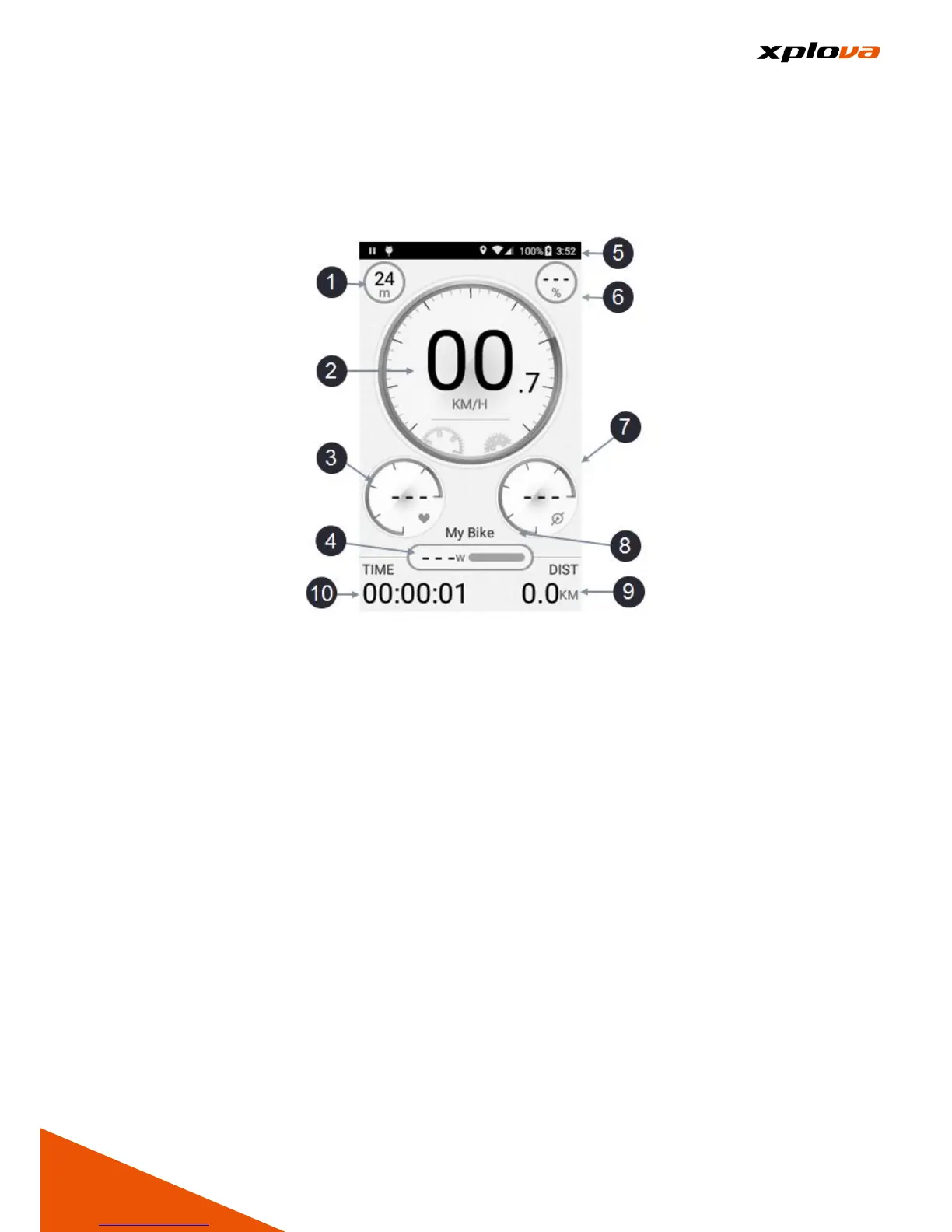
1. Altitude
2. Speed
3. Heart Rate
4. Power
5. Status Bar
6. Slope
7. Cadence
8. Bike Name
9. Total Distance
10. Trip Time
In Device Mode, there are four categories shown in Measure Range Display:
Speed / Heart Rate / Cadence / Power. In addition to displaying the speed
value, the current speed can also be obtained from the Measure curve position.
In addition, there are five respective segments available for the Heart Rate /
Cadence / Power Ranges.



 To Next Page